

 4 minutes
Using AI Wisely for School Success
State one rule of thumb for telling AI homework help apart from AI cheating.
BeginnerParenting & Education
Curated library
Watch the clearest companion videos without browsing everything at once. Pick a path, continue where you left off, or use the filters when you know what you need.
Build confidence with AI basics, prompting, privacy, hallucinations, and everyday use.
Understand what AI can and cannot do before you automate anything.
Learn workflows for meetings, writing, research, no-code tools, and repeatable business tasks.
Turn AI from a chat box into a dependable work habit.
Go deeper into agents, RAG, MCP, structured outputs, evals, APIs, and local AI.
Evaluate and build AI systems without treating demos as production.
Cover governance, EU AI Act readiness, build-vs-buy decisions, ROI, and private AI choices.
Make safer AI adoption decisions for a team or company.
173 results
Nothing matches these filtersTry a different category or level, or clear the filters to see everything.
4 minutesState one rule of thumb for telling AI homework help apart from AI cheating.
 5 minutes
List two visual tells that can suggest (not prove) an image is AI-generated.
 5 minutes
Note one example from the segment where an AI answer diverged from professional medical judgment - without treating the segment as medical advice.
 11 minutes
Name gaps between AI conversation and licensed therapeutic care so you know when to seek a human professional.
 20 minutes
Articulate the difference between connection and companionship Turkle describes, and apply it to an AI chat habit.
 17 minutes
Explain the concept of the 'attention economy' and name one design tactic used to capture attention.
 1 minutes
In one sentence, say what a Content Credential is meant to record about a piece of media - then confirm details in current C2PA/Adobe docs, since a 30-second clip is only an intro.
 57 minutes
Identify two specific risks of AI companion apps for children discussed by the panel.
 11 minutes
Define 'shadow AI' and name one category of data that should never go into a consumer AI chatbot.
 1 minutes
Note one Study Mode behavior claimed in the announcement (for example guiding instead of dumping answers) - then check current product docs, since features change.
 15 minutes
Name one risk or concern the segment raises about AI chatbots that simulate a deceased loved one - without treating the podcast as clinical grief advice.
 13 minutes
Name risks O'Neil associates with harmful scoring systems (for example opacity, scale, and damage) without treating the talk as a complete technical definition.
 5 minutes
Explain in one sentence why an AI chatbot can sound confident while being factually wrong.
 5 minutes
Borrow one privacy, fairness, or responsibility talking point from the video to start an AI conversation with a teenager.
 16 minutes
Write one tutor-mode prompt that asks AI to guide with questions rather than give the answer directly.
 4 minutes
Agree on a private verification phrase with your family for urgent calls - confirm details against current consumer-protection guidance, not news alone.
 8 minutes
Summarize what the news segment claims the study found about AI-assisted writing - then treat replication and limits as open, not settled.
 17 minutes
Learn how to design AI workflows that can pause, resume, ask for human judgment and keep business state separate from model guesses.
 18 minutes
See how approval gates can be implemented as explicit workflow checkpoints rather than informal manual review after something goes wrong.
 32 minutes
Learn how to introduce AI into localization without removing human ownership of meaning, tone, terminology and final approval.
 4 minutes
Understand why multilingual embeddings matter for private internal search and where local retrieval can reduce data-exposure risk.
 17 minutes
Set up a multi-agent coding workflow with explicit review boundaries so generated changes stay small, tested and owned.
 56 minutes
Build an ROI case for one AI workflow with a baseline, direct and indirect benefits, quality gates and an explicit stop decision.
 41 minutes
Make AI build-vs-buy decisions around outcome, data control, workload economics, infrastructure readiness and operational ownership.
 20 minutes
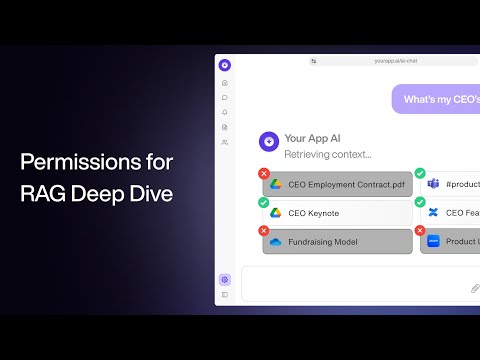
Evaluate practical access-control patterns for company knowledge RAG before indexing sensitive internal documents.
 30 minutes
Compare the video's historical timeline with current EU law, then map the current deadlines to the vendor-evidence and ownership tasks an SME must schedule.
 37 minutes
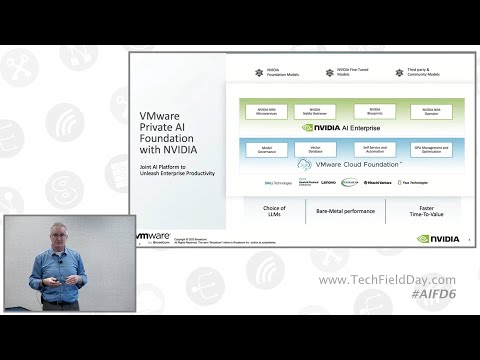
Evaluate private AI as an infrastructure and governance decision instead of defaulting to either SaaS or self-hosting by instinct.
 69 minutes
Recognize the failure modes your own agents will hit first and pre-plan the tests, fallbacks and kill criteria for each.
 7 minutes
Understand why document parsing, structure preservation and ingestion quality gates matter before building RAG over PDFs and mixed file formats.
 6 minutes
Recognize the core architecture of a voice agent and the failure points that affect customer trust in real calls.
 211 minutes
Understand the modern LLM stack well enough to reason about tokens, training, tools and failures.
 40 minutes
Evaluate partial-autonomy product ideas where humans keep control over high-risk decisions.
 190 minutes
You can build a LangGraph agent with typed state, conditional routing, checkpoints and tool use, and feel where the explicitness pays off.
 66 minutes
You can stand up a CrewAI crew in the role-goal-backstory style and judge how its hidden execution loop compares with explicit graphs.
 15 minutes
Design simpler agent loops with clear stopping rules, task boundaries and human control points.
 18 minutes
Recognize common agent-building pitfalls before adding multiple agents, complex prompts or hidden state.
 66 minutes
See the full beginner workflow for building a small Cursor project, including setup, prompting, debugging, basic Git and the limits of AI-assisted coding.
 5 minutes
You can name the three guardrails to set before letting AI write code for you, and know why each one prevents a specific failure.
 31 minutes
See how an n8n support workflow drafts retrieval-backed replies and proposes knowledge-base updates, then identify the controls needed before production use.
 231 minutes
See how a support agent combines retrieval, escalation and workflow tools before production hardening.
 37 minutes
Use AI to challenge assumptions, compare options and surface counterarguments before making decisions.
 10 minutes
You can tailor a cover-letter hook and rewrite resume bullets against a real job description using a multi-prompt workflow.
 9 minutes
Use AI to prepare outreach, interviews and follow-ups while keeping your story specific and honest.
 17 minutes
Combine active recall, practice problems and AI explanations into a repeatable learning routine.
 22 minutes
Generate a realistic study plan from your goal, schedule and constraints, then adapt it as you learn.
 13 minutes
Design a meeting workflow that captures transcripts, summaries and action items without losing human review.
 4 minutes
Compare a standalone transcription workflow with integrated meeting assistants before choosing a tool.
 18 minutes
Use ChatGPT to explain formulas and iterate on spreadsheet logic while verifying every result in Excel.
 12 minutes
See how spreadsheet AI can structure messy text and classify data, then check formulas and labels carefully.
 23 minutes
See how a long-running ChatGPT thread can support meal planning, errands, trip prep and other low-risk life-admin tasks.
 48 minutes
Learn Midjourney prompting intuition while separating durable prompt concepts from changing UI controls.
 48 minutes
Compare image generators by task fit, failure modes and cost instead of memorizing a fixed ranking.
 24 minutes
Design a marketing workflow where AI drafts and routes work, but humans keep control over strategy, brand voice and publishing.
 30 minutes
Map the current marketing-tool landscape before deciding which workflows deserve automation.
 90 minutes
Use AI as a critical editor for structure, argument and revision without outsourcing your own voice.
 18 minutes
You can chain Perplexity and NotebookLM into one research pipeline that finds sources and then reads and synthesises them.
 26 minutes
You can set up a NotebookLM notebook and use it to summarise, question and cross-reference long documents from your own sources.
 26 minutes
Evaluate where voice agents might fit sales workflows and where disclosure, consent and escalation become blockers.
 30 minutes
Understand the data-enrichment and personalization pipeline behind AI-assisted outbound without confusing automation with quality.
 11 minutes
Learn what recording quality and consent boundaries matter before creating a voice clone.
 16 minutes
Understand the main AI-audio workflow categories: narration, speech-to-speech, voice design and cloning.
 10 minutes
Choose between search, answer engines and chatbots based on source needs, freshness and the cost of being wrong.
 23 minutes
Study a multi-agent newsletter pipeline and identify where sources, approval and failure handling belong.
 20 minutes
You leave with a compact framework for prompt clarity and iteration, plus worked patterns for emails, summaries and analysis.
 25 minutes
Build stronger prompts by adding role, task context, examples, constraints and output format one layer at a time.
 42 minutes
You will be able to apply core prompting best practices and tell zero-shot from few-shot prompting in your own work.
20 minutesYou leave with the five-part TCREI structure as a repeatable checklist for building and refining your own prompts.
 24 minutes
Recognize the browser-agent action loop, where it helps, and where human confirmation is still required.
 2 minutes
Compare desktop computer-use behavior with browser-only agents.
 11 minutes
Identify the source-selection, question, generated-artefact, and citation-inspection stages in a hosted document assistant.
26 minutesObserve a source-based notebook workflow and identify the retrieval, citation, provenance, and permission checks needed before relying on it.
 29 minutes
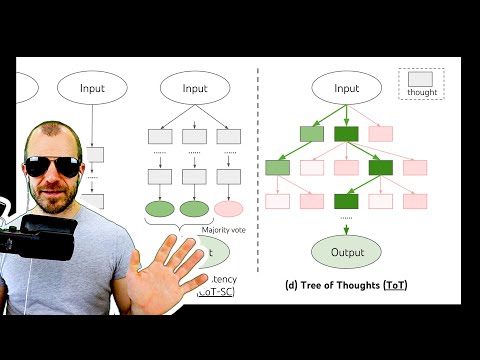
Understand generate-score-prune reasoning patterns and when they are too expensive for real work.
25 minutesYou can layer role, structured sections and explicit thinking steps into a prompt without turning chain-of-thought into a ritual.
 11 minutes
Use AI to draft email faster, then pressure-test tone and clarity from the recipient's point of view.
 26 minutes
Understand why real-time conversational voice feels different from dictation or classic voice assistants.
 3 minutes
See multimodal voice interaction quickly, especially interruption, tone and camera-aware conversation.
 69 minutes
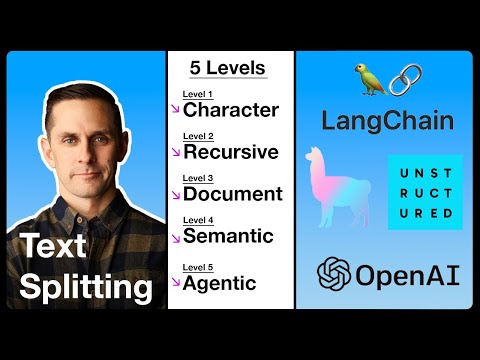
Build intuition for chunking choices before tuning a real retrieval system.
 24 minutes
See how query rewriting, hybrid retrieval, reranking and corrective loops fit into one RAG pipeline.
 5 minutes
Understand why screenshot-based computer use is powerful, slow, expensive and brittle compared with API-native automation.
 8 minutes
Decide where browser or computer-use agents might be commercially useful despite their operational risk.
 25 minutes
Use the OWASP LLM risk categories to review tool access, output handling and sensitive-data exposure.
 11 minutes
Distinguish direct and indirect prompt injection and why filtering alone is not enough.
 22 minutes
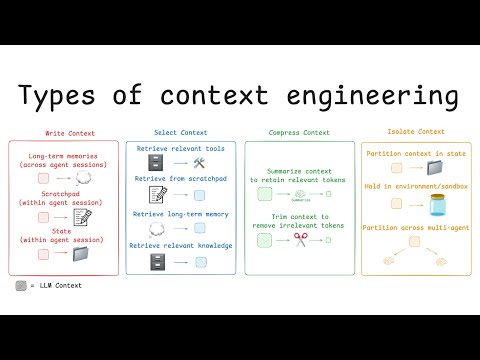
Apply write, select, compress and isolate patterns to manage agent context deliberately.
 8 minutes
Understand how long context can fail under ambiguity and distractors, then design tests around that risk.
 19 minutes
You can estimate when prompt caching pays off by weighing cache-write surcharges against read savings for your real workloads.
 56 minutes
Use prompt caching only when stable prefixes, latency and cost behavior match the workload.
 12 minutes
Build a small reusable assistant with instructions, knowledge files and access settings.
 13 minutes
Understand project-level context and when it is a better fit than repeating the same background in every chat.
 131 minutes
Understand how a power user separates durable preferences from one-off context.
 36 minutes
Configure personalization deliberately instead of letting memory, instructions and project context blur together.
 22 minutes
See deep research and analysis modes applied to business research rather than only academic literature.
 14 minutes
Scope a deep-research task, wait for the report, then verify citations and source quality before using it.
 107 minutes
Learn the product-builder eval loop: inspect traces, label failures, define criteria, test changes and compare against human judgment.
 3 minutes
See the smallest no-code version of a repeatable prompt eval.
 55 minutes
Design an eval ladder that catches regressions before prompt or model changes reach users.
 19 minutes
See how a production team layers assertions, human review and LLM judges so regressions surface before release.
42 minutesSee how examples change model behavior and learn when few-shot prompting is worth the extra setup.
25 minutesYou will be able to place examples inside a fuller prompt structure and anticipate how they change what the model produces.
 157 minutes
You will be able to run quantisation, LoRA and QLoRA fine-tunes end to end on hardware most developers already have.
 59 minutes
Place fine-tuning inside the broader training pipeline and decide when it is better than prompting or RAG.
 26 minutes
Build a first n8n AI-agent workflow while recognizing where tool access, memory and guardrails belong.
 92 minutes
Extend a simple agent into multi-step workflows with memory, error handling and realistic business integrations.
 29 minutes
You can build your first Custom GPT end to end and judge which existing GPTs are actually worth adding to your toolkit.
 44 minutes
Understand how Custom GPT instructions, actions and knowledge files fit together before pushing a simple assistant beyond the beginner workflow.
 30 minutes
Understand triggers, actions and simple automation flow before adding AI to a business process.
 12 minutes
Decide when an AI agent should own the trigger, reasoning and action instead of a plain Zap with an AI step.
 15 minutes
Decide whether a paid ChatGPT plan is useful for your current workload instead of buying the most impressive-sounding tier.
131 minutesSee how an experienced user switches tools, modes and context strategies while keeping verification in the loop.
 60 minutes
Build a non-mystical mental model of LLMs as prediction systems with context windows, training data, sampling and failure modes.
13 minutesUnderstand how integrated assistants can connect email, meetings and tasks into one reviewable work loop.
 14 minutes
Identify practical AI email moves: summarize threads, draft replies, adjust tone and organize follow-up work.
 32 minutes
You can run a project-first learning loop, letting AI surface only the knowledge you need to finish something real.
 10 minutes
Turn a topic into a study plan with explanations, practice questions and feedback loops you can verify.
 14 minutes
Install a local model runner, pull a small model and understand the privacy/performance tradeoff before using it for real work.
 6 minutes
Try local AI through a GUI and compare small-model behavior with hosted frontier models.
 20 minutes
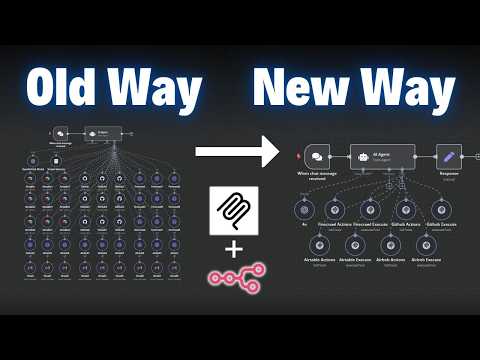
Understand the protocol roles: host, client, server, tools, resources, prompts and transports.
 16 minutes
Explain what MCP changes in plain language and decide whether a tool connection should use MCP or a simpler integration.
 104 minutes
Understand how MCP fits into agentic systems beyond a local demo server.
 75 minutes
Build a first MCP server and understand how tools, schemas, prompts, resources and transports fit together.
 19 minutes
Improve tool design so agents select the right action with the right parameters.
 29 minutes
Decide which behavior belongs in the system prompt, tool description or tool precondition.
 7 minutes
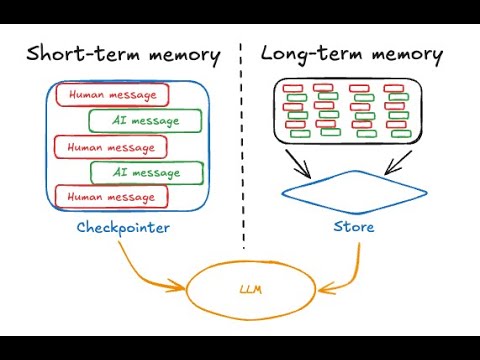
Separate short-term and long-term memory decisions and decide when agent memory should be written.
 44 minutes
You can wire episodic, semantic, working and procedural memory into an agent in code, not just name the categories.
 19 minutes
Compare flagship, lite, mid-tier and specialized models so routing decisions are based on task fit, cost and latency instead of brand preference.
 9 minutes
Evaluate model-routing tradeoffs between quality, cost and reliability before adding orchestration complexity.
 30 minutes
Identify distinct workflow stages and create testable tool-selection criteria for each one.
14 minutesTurn several use-case ideas into candidate stages that you can test against the article's capability and handoff criteria.
 10 minutes
Choose an automation platform based on hosting, AI-agent fit, integrations and maintenance tradeoffs instead of product hype.
 28 minutes
Expand NotebookLM from a summarizer into a repeatable research and learning workflow.
 35 minutes
Build a source-grounded research notebook and turn it into briefings, study guides or working notes.
 9 minutes
You can navigate traces, projects and datasets in LangSmith and read off token cost, latency, error rate and per-span detail.
 154 minutes
Connect tracing, evaluation, feedback and production review into an operating loop for LLM systems.
 93 minutes
Understand that chatbot conversations are not automatically private, privileged or safe for sensitive business details.
 13 minutes
You can name the three risk surfaces generative AI adds at work — data, model, usage — and describe the controls each one needs.
11 minutesExplain why personal AI accounts create workplace data risk and how to set safer boundaries.
 17 minutes
Understand what breaks when RAG moves into regulated, high-stakes enterprise use.
 19 minutes
Identify the production RAG controls missing from naive document-chat demos.
 13 minutes
Model prompt injection as untrusted-data mixing and design boundaries around tool use.
 17 minutes
Review prompt-injection defenses such as taint analysis, output-shape restrictions, user isolation, deterministic settings and redundant checks for critical paths.
 3 minutes
See the original o1 launch framing and separate that historical account from current implementation guidance.
 28 minutes
Understand one historical account of o1, then compare a direct task specification with other supported prompt variants on your current model and workload.
 9 minutes
Explain when retrieval is the right fix and when fine-tuning may actually help.
 13 minutes
Choose between prompt engineering, RAG, fine-tuning or a combination based on the actual failure mode.
 77 minutes
Hear how production prompt engineers revise instructions, examples and behavioral constraints under real pressure instead of treating prompts as one-off text.
25 minutesWatch a vague insurance-claims prompt become a structured, testable prompt with clearer examples, output rules and refusal behavior.
 39 minutes
Compare agentic retrieval and graph retrieval in a concrete implementation.
 16 minutes
Understand the Microsoft-style GraphRAG flow: entity extraction, communities, summaries and query-focused synthesis.
 10 minutes
Evaluate C.R.A.F.T. as one candidate structure for generating prompts, using representative cases and explicit acceptance criteria.
20 minutesExtract a candidate prompt structure, then add ownership, versioning, evaluation, limits and fallback fields before review.
131 minutesLearn to route work across fast, cheap, deep-reasoning and source-grounded tools instead of using one model for everything.
 17 minutes
See a structured comparison method you can reuse when deciding which model is good enough for a task.
 32 minutes
Understand why serving engines, batching and KV-cache memory dominate self-hosted inference economics.
14 minutesChoose a few low-risk everyday AI tasks and test prompts by comparing the result to your own judgment.
 4 minutes
You can use the camera as an input, showing ChatGPT handwritten work and getting tutoring instead of a spoiled answer.
 42 minutes
Assess when vertical AI agents create real defensibility and when they are only thin wrappers.
 34 minutes
Evaluate AI product pricing and specialization around measurable outcomes rather than seat counts.
131 minutesYou can recognize when to follow up, when to switch models and when to start a fresh conversation, calibrated against real day-to-day usage.
 41 minutes
You can explain what strict mode guarantees, how it differs from old JSON mode, and how refusal handling fits the structured-output contract.
 18 minutes
Learn why schema-first LLM calls need typed objects, validators, retries and explicit handling for malformed or hallucinated fields.
 8 minutes
Use multiple AI future scenarios to plan adoption without betting the company on one forecast.
 60 minutes
Frame AI adoption around workflow change, capability building and realistic organizational risk.
 34 minutes
You can push back on the slop, magic and theft framings with a clearer picture of what generative models actually do.
 12 minutes
You can argue a sober middle position between the doom and utopia extremes of the AI debate, and know which questions actually matter.
 9 minutes
You can assemble task, context, exemplars, persona, format and tone into working prompts for everyday office tasks.
 26 minutes
Recognize reusable prompt patterns and combine them into clearer instructions, examples and evaluation steps.
 36 minutes
You leave with a realistic sense of what AI is good at today, where it falls short, and which opportunities are worth taking seriously.
 8 minutes
You can explain in plain words how an LLM predicts the next token and why calling it autocomplete on steroids is fair but incomplete.
19 minutesUnderstand the product and model-family landscape well enough to choose one starting tool and stop endlessly comparing tabs.
 10 minutes
You can name the four kinds of hallucination and recognize which one you are looking at when a chatbot gets something wrong.
 36 minutes
You can explain why a model trained to predict plausible text will sometimes invent facts, no matter how polished it sounds.
90 minutesUse AI for research, structure and revision while keeping final wording and judgment under human control.
36 minutesRecognize the main ChatGPT surfaces so you can explore deliberately instead of clicking at random.
 39 minutes
Get oriented inside ChatGPT without treating every new sidebar item as something you must master on day one.
Recently checked videos and companion picks from the AI Expert library.
How To Build An AI Customer Support Agent with n8n (free template)
See how an n8n support workflow drafts retrieval-backed replies and proposes knowledge-base updates, then identify the controls needed before production use.
How to Build & Sell AI Agents: Ultimate Beginner's Guide
See how a support agent combines retrieval, escalation and workflow tools before production hardening.
I Tried AI as a Life Coach for 365 Days - Here's What I Learned
Use AI to challenge assumptions, compare options and surface counterarguments before making decisions.