

ChatGPT & AI Assistants
How ChatGPT-style assistants work, what they are good at, and how to use them calmly.
46 stories (22 articles · 24 videos)
Start here
A few good first pieces before you browse the full feed.
 6 min read
Your first hour with ChatGPT: a click-by-click walkthrough
A guided sixty-minute tour of ChatGPT — from signing up to a useful first result, with the product and privacy controls that matter most.
New to AI 6 min read
ChatGPT, Claude, Gemini, Copilot — which should a beginner pick?
Four mainstream AI assistants, picked apart in plain English. A non-technical guide to choosing your first AI based on what you already use and what you actually want from it.
New to AI 7 min read
Picking the right model for the job: a 2026 decision cheat sheet
Which model to reach for, by task type. GPT, Claude, Gemini, reasoning variants, and open-weights options, with decision rules and mid-2026 examples rather than a timeless ranking.
BeginnerMore in this topic
 13 min read
The 2026 LLM stack: models, inference, tooling, and trade-offs
A working architect's view of the 2026 LLM stack — the model tiers, inference providers, orchestration layers, evaluation tooling, and the trade-offs that actually matter when shipping production AI. Everything you wish someone had laid out before you started.
Advanced 6 min read
AI for travel, recipes, and life admin
The low-stakes, high-frequency wins that turn AI from a curiosity into a habit. Real prompts for trip planning, meal planning, household admin, and the small decisions that eat your week.
New to AI 6 min read
AI as your personal editor: three bounded editing passes
Three bounded editing passes for clarity, tone, and grammar, with privacy checks, quoted changes, and the author retaining the final wording.
New to AI 7 min read
Use AI to Triage Long Documents and PDFs Safely
Use a source-grounded three-pass workflow to map a long document, locate passages for human review, and prepare questions without outsourcing the reading or legal judgment.
New to AI 6 min read
AI vs Google: when to search, when to ask
Search and AI assistants are not interchangeable. A practical guide to which tool fits which question — with side-by-side examples and the cases where you should use both.
New to AI 6 min read
Using ChatGPT to write emails you actually want to send
A privacy-aware workflow for using ChatGPT to draft, sharpen, and finish emails without handing over confidential threads or outsourcing the final judgement.
New to AI 7 min read
ChatGPT Voice mode: talking to AI like a friend
Talking to AI feels strange for about ninety seconds, then it often becomes the easiest interface for thinking out loud. A practical guide to voice mode — what it is great at, what it is bad at, and how to actually use it.
New to AI 8 min read
Custom GPTs and Claude Projects: reusable assistants with knowledge files
A practical guide to deciding whether a repeated task belongs in a reusable, file-backed assistant, then building and testing one with an explicit privacy boundary.
Beginner 8 min read
Custom instructions and memory: set up your AI once
Configure stable, non-sensitive defaults and memory controls, then review what is retained and override stale context when the task changes.
Beginner 6 min read
Build Your First Custom GPT and Test It
Configure a reusable ChatGPT assistant, test it on representative tasks, and revise its instructions before relying on it.
New to AI 6 min read
Free vs paid ChatGPT: what the upgrade actually buys
A jargon-free comparison of free ChatGPT, ChatGPT Plus, and ChatGPT Pro — what changes when you upgrade and how to tell if you actually need to.
New to AI 6 min read
How AI generates answers: the mental model that makes prompting click
AI does not think the way you do. It generates likely continuations from context. A plain-English mental model that, once it clicks, makes every prompting tip in the world easier to understand.
New to AI 11 min read
Multi-tool AI workflows: design reliable handoffs across tools
A practical framework for combining research, document grounding, drafting, critique, analysis, and storage while preserving provenance, privacy, and review.
Intermediate 7 min read
Privacy 101: what ChatGPT remembers, sees, and shares
Separate training, memory, storage, and third-party sharing. Check the controls that affect your account without treating Temporary Chat or a paid plan as permission to share sensitive data.
New to AI 6 min read
The seven things you can ask ChatGPT on day one
The blank input box is the hardest part. Seven copyable prompts that turn an empty conversation into a real win on your very first day.
New to AI 6 min read
Sharing images with AI: what you can (and shouldn't) upload
Modern AI can read photos, charts, screenshots, and handwriting almost as easily as text. A practical guide to what works, what doesn't, and the thirty-second privacy checklist before you upload anything.
New to AI 7 min read
The ten AI myths holding you back
The persistent beliefs about AI that keep otherwise sharp adults from even trying it. Each one addressed honestly — with what's true, what's exaggerated, and what to do about it.
New to AI 6 min read
What AI actually is (and isn't): a no-hype primer
AI in 2026 means one specific thing for most people — and it is not what the movies told you. A plain-English explanation of what is really going on, what it does well, and what it does not.
New to AI 6 min read
Why AI gives confident wrong answers: a beginner's guide to hallucinations
AI does not lie the way a person does. It can generate fluent false specifics because plausibility and verification are different jobs. Here is what is going on, why it happens, and how to avoid being burned.
New to AI 211 minutes
Deep Dive into LLMs like ChatGPT
Andrej Karpathy. This is the clearest end-to-end explanation on YouTube of what an LLM actually is — pretraining, tokenization, SFT, RLHF, reasoning RL, tool use, hallucinations — at the level of detail an engineer needs to reason about model trade-offs. Watch it once and the "GPT-class vs. open-weights vs. reasoning model" decisions in the article stop feeling like brand choices and start feeling like training-recipe choices.
Advanced 40 minutes
Andrej Karpathy: Software Is Changing (Again)
Y Combinator. Karpathy's AI Startup School keynote frames LLMs as a new kind of computer — utility, fab, and OS rolled together — and argues for "partial autonomy" products with a human-controlled leash. It is the cleanest articulation of the stack-level mental model the article assumes: that you are picking inference vendors and tooling for a programmable substrate, not a chatbot.
Advanced 10 minutes
Learn 80% of Perplexity in under 10 minutes!
Jeff Su. Jeff opens with the spectrum the article hinges on — ChatGPT and Gemini at the "creative" end, Perplexity and Google Search at the "accurate, real-time, sourced" end — and then shows you the third option in action. The Olympics-medals comparison in the middle is the cleanest "this is when you ask a chatbot, this is when you Google" demo we've seen. After watching, you'll have a third tool in your search routine and a working rule for picking between the three.
New to AI 26 minutes
Introducing GPT-4o
OpenAI. This is the May 2024 keynote where ChatGPT's real-time voice mode was first demoed. Mark Chen does the breathing-exercise demo, Barrett Zoph does the math-tutor demo, and then they switch to real-time Italian–English translation. Twenty-six minutes of "ah, that's what they mean by talking to AI like a friend." The model and capabilities shown have only improved since.
New to AI 3 minutes
Two GPT-4os interacting and singing
OpenAI. Two instances of voice mode talking to each other, one of which has camera access to describe the room. Three minutes long and the most efficient way to internalise what makes voice mode different from old "press the microphone, wait, listen" interfaces — interruption, tone, music, real-time vision, all in one clip.
New to AI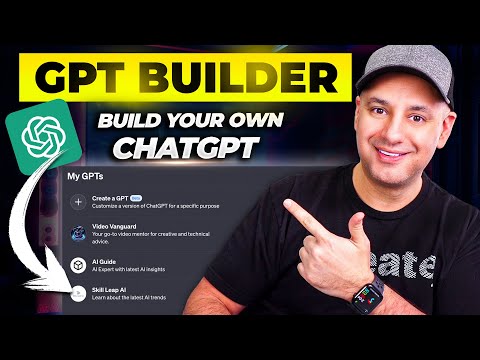 12 minutes
How To Create Custom GPTs - Build your own ChatGPT
Skill Leap AI. Walks through the GPT builder exactly the way the article describes — name and description, conversation starters, instructions, knowledge files, capabilities, and access settings. Uses a real example (an AI knowledge assistant fed with the creator's own scripts) so you see what good knowledge-file content looks like in practice.
Beginner 13 minutes
I Switched 50% of My AI Work to Claude, Here's Why
Jeff Su. The Claude Projects chapter (starts around 04:46) is the clearest short explanation on YouTube of project-level vs chat-level context — illustrated with a product marketing example where one project document feeds many chats with different briefs. Pairs naturally with the article's argument that Projects and Custom GPTs solve the same problem in slightly different shapes.
Beginner 131 minutes
How I use LLMs
Andrej Karpathy. Skip to the "ChatGPT memory, custom instructions" chapter at 1:53:29. Karpathy shows what he actually has in his own custom instructions, talks about when he tells ChatGPT to remember a fact versus letting it auto-capture, and notes the trade-offs — closer to the article's "set it up once with intent" framing than most beginner walkthroughs.
Beginner 36 minutes
Every ChatGPT Feature In 37 Minutes
Tina Huang. The personalization, memory, and custom instructions panels are walked through inside a wider tour of every ChatGPT feature, which is the right framing — these settings only pay off when you also know what they're configuring (projects, GPTs, scheduled tasks, voice, etc.). Use it as a guided tour while you actually open Settings → Personalization in another tab.
Beginner 15 minutes
Is ChatGPT Plus Worth it? Here's My Updated Review for 2025
Ryan Doser. Ryan walks through every feature actually gated behind the $20 tier — usage caps, advanced voice mode, image and Sora limits, custom GPTs, the reasoning-model tier — and contrasts it with current free alternatives like Claude, Gemini, and Perplexity. The view count is on the lower side because the topic is narrow, but this is the cleanest current side-by-side that doesn't dissolve into hype, which is why we picked it over the louder "Plus changed my life" videos.
New to AI131 minutesHow I use LLMs
Andrej Karpathy. A follow-up where Karpathy actually sits in front of ChatGPT, Claude, Gemini and Perplexity and uses them like a power user. Watch this after the article and his "Intro" — you'll see the mental model put into practice in real time, including the small choices (which model, which mode, when to paste vs upload) that separate frustrated beginners from people who get useful answers on the first try.
New to AI 60 minutes
[1hr Talk] Intro to Large Language Models
Andrej Karpathy. A founding OpenAI engineer giving the cleanest hour-long explanation of what an LLM actually is, in plain English. The "psychology of an LLM" section is exactly the mental model the article is trying to install — why these models hallucinate, why they're good at vibes and bad at counting, why prompting is closer to coaching than coding.
New to AI131 minutesHow I use LLMs
Andrej Karpathy. Karpathy spends explicit chapters on "Be aware of the model you're using, pricing tiers" and "Thinking models and when to use them," then keeps switching between ChatGPT, Claude, Gemini, Grok, and Perplexity throughout the rest of the walkthrough. It is the closest thing to watching the article's cheat sheet applied live by someone with strong opinions about when each tier earns its keep.
Beginner 17 minutes
The New, Smartest AI: Claude 3 – Tested vs Gemini 1.5 + GPT-4
AI Explained. Older than the article (March 2024), but the methodology is what's useful: a single careful reviewer running the same hard tasks — OCR, theory of mind, instruction following, math — through three frontier models side by side and showing exactly where each one cracks. The model names are dated, the framework for comparing models is not.
Beginner 4 minutes
Live demo of GPT-4o vision capabilities
OpenAI. Four minutes of someone holding up a handwritten linear equation to the camera and ChatGPT tutoring them through it without giving the answer. It is the clearest, shortest demo of "the model can actually see what I'm showing it" and frames the use cases the article recommends — handwritten notes, simple math, captured documents — better than any walkthrough we found.
New to AI 34 minutes
"Generative AI" is not what you think it is
Acerola. A developer-essayist works through the "AI is just slop / AI is magical / AI is theft" trio of myths with patience and code on the screen. If the article's myth #4 or #7 ("it's just plagiarism," "it's just plagiarism but for art") nagged at you, this is the video that earns the right to disagree with you.
New to AI 12 minutes
What We Get Wrong About AI (feat. former Google CEO)
Cleo Abram. Cleo Abram walks through both the "it will kill us all" and "more profound than fire" extremes, asks Eric Schmidt the awkward questions, and lands on a sober middle. The framing — "we're living inside a trolley problem" — is exactly the spirit of the article: neither dismiss the technology nor catastrophise it, just understand what it actually is.
New to AI 36 minutes
Andrew Ng: Opportunities in AI - 2023
Stanford Online. Andrew Ng, one of the people who actually built the field, talking plainly about what AI is good at, what it isn't, and where the realistic opportunities sit. A useful counterweight to social-media takes — same calm, no-hype tone as the article, just with more depth on the "where is this actually going" question.
New to AI 8 minutes
Large Language Models explained briefly
3Blue1Brown. The cleanest eight-minute mental model of an LLM on YouTube. Grant Sanderson walks through "next-word prediction," parameters, training, and reinforcement learning from human feedback without ever drifting into hype. Watch it right after the article and the phrase "AI is just autocomplete on steroids" stops being a slogan and starts being a useful shorthand.
New to AI 19 minutes
Every AI Model Explained
Tina Huang. A calm 19-minute map of the major model families — OpenAI's GPT line, Anthropic's Claude, Google's Gemini, plus the open-source players — and which tier inside each family is worth your time. After the article tells you "pick one and stick with it for a month," this video tells you what the dropdown menu inside that one is actually offering. Honestly opinionated without being a hot take.
New to AI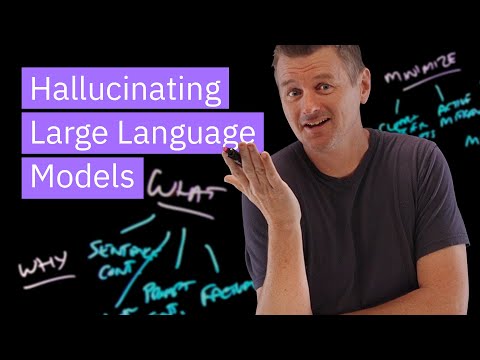 10 minutes
Why Large Language Models Hallucinate
IBM Technology. Martin Keen sorts hallucinations into four named buckets — sentence contradictions, prompt contradictions, factual errors, nonsense — and walks through each on a lightboard. After the article gives you the why, this video gives you a vocabulary for spotting the type of mistake in the wild so you can decide how much to trust a given answer.
New to AI 36 minutes
ChatGPT with Rob Miles - Computerphile
Computerphile. A long, calm sit-down with AI-safety researcher Rob Miles on why a model that's trained to predict plausible text will always, structurally, sometimes invent facts. Recorded in early 2023, but the underlying mechanism it explains hasn't changed and the framing is still the cleanest way to internalise "it's a fluency engine, not a truth engine."
New to AI36 minutesEvery ChatGPT Feature In 37 Minutes
Tina Huang. A patient, sidebar-by-sidebar tour of the current ChatGPT app. Useful when the article gets you logged in and you want someone to point at every icon and tell you what it does — voice mode, custom GPTs, projects, memory, the lot — without skipping straight to "advanced prompting."
New to AI 39 minutes
ChatGPT Tutorial: 35 Tips I Wish I Knew Sooner
Matt Wolfe. Recorded in late 2025, so the screens still look like the screens you'll see today. The first third — plan comparison, account setup, dialling in your settings — is exactly the click-by-click ground the article covers, and the back half (projects, canvas, files, branching) gives you a preview of what's actually behind each menu item before you go exploring.
New to AI