An AI-drafted email can be over-friendly, over-long, or simply unlike the sender. A controlled drafting loop makes those defects easier to see and correct.
That is fixable. The useful shift is from a one-shot request to a short drafting and review loop. OpenAI’s current prompting guidance likewise recommends clear, specific context and iterative refinement (checked 2026-09-21). This article turns that general advice into a bounded email workflow.
Step 1: Skip the polite “hello, can you help me write…”
When you sit down to draft an email with ChatGPT, do not start by asking it to “write an email.” First decide whether the material is allowed in the tool. Then describe only the minimum context needed, preferably with fictional names and no copied thread.
Compare these two openings:
Write me an email to my client about the deadline.
versus
Fictional example: I manage a website project. A technical issue moves the milestone from 14 October 2026 to 17 October 2026. The client has limited availability that week. I want a calm update that states the delay, gives the supplied revised date, and proposes one next step. Do not add facts or commitments.
The second prompt has not asked for an email yet. It defines role, audience, facts, constraints and the desired next step without exposing a real client or thread.
So the first habit: check the data path, then describe only the approved context before asking for output.
Do not paste a confidential thread, personal data, credentials, contract text or undisclosed client information into a consumer chat. A training setting is only one control; history, retention, workspace policy, connected features and recipients are separate questions. OpenAI’s current Data Controls FAQ and Temporary Chat guide describe product-specific controls and exceptions. They do not replace your employer’s policy, the sender’s permission or a suitable approved workspace.
Step 2: Ask for variants, not “an email”
Ask for a small set of alternatives rather than accepting the first draft. Three versions are enough for the exercise below: they expose differences in tone, length, and structure without creating an unwieldy review queue.
A reliable continuation of the prompt above:
Now draft three versions:
- Warm but professional, around 100 words.
- Direct and short, under 70 words.
- More detailed, with the plan as a short bulleted list, around 150 words.
End each with a clear next step. Do not start any of them with “I hope this finds you well.”
A few things to notice. The length cap is doing real work — without it you will get something twice as long as you want. The “no I hope this finds you well” is doing real work too — default drafts often open with that sentence. The “bulleted list” constraint shapes the structure without you having to write it out.
Compare the three drafts against the stated facts, tone, length, and next step. Select the closest one only if it meets those constraints, then identify the exact lines that need revision.
Step 3: Critique what came back
Now reply in the same drafting session with what is wrong. Keep the same privacy boundary: do not add the original private thread merely because the first draft needs another pass.
Version 2 is closest. Tighten the opening sentence, drop the “we appreciate your patience” line, and end with one sentence instead of two. Keep the rest as-is.
This keeps the revision attached to the selected draft and the already approved context. It does not guarantee a better result; compare every proposed change with the constraints and source facts.
Use direct editing instructions. “That sounds generic. Make it sound like a normal person.” “Cut the apology; the fictional sender did not cause the delay.” “Less formal. The fictional participants use first names.”
You can also ask: “List several plausible ways a reader could interpret this tone. Quote the wording behind each interpretation.” Treat the response as hypotheses to inspect, not evidence of how the real recipient will react.
Step 4: Strip the AI smell
The following patterns can make a draft vague or impersonal. Replace them when they do not fit the sender, recipient, or purpose:
- “I hope this email finds you well.” Nobody talks like this. Open with the actual point.
- “I wanted to reach out regarding…” Cut. Just say what you wanted to say.
- “Thank you for your patience and understanding.” Hollow. Replace with something specific or remove.
- “Please let me know if you have any questions.” Always true, never useful. End with a concrete next step instead.
- Em-dashes everywhere, perfectly balanced sentences, suspiciously even paragraph lengths. AI-written text is often too tidy. Vary the rhythm.
A useful prompt to strip these in one pass:
Edit this so it sounds like a normal person wrote it. Remove anything that sounds like the opening of an AI email. Vary the sentence lengths. Keep the meaning and structure.
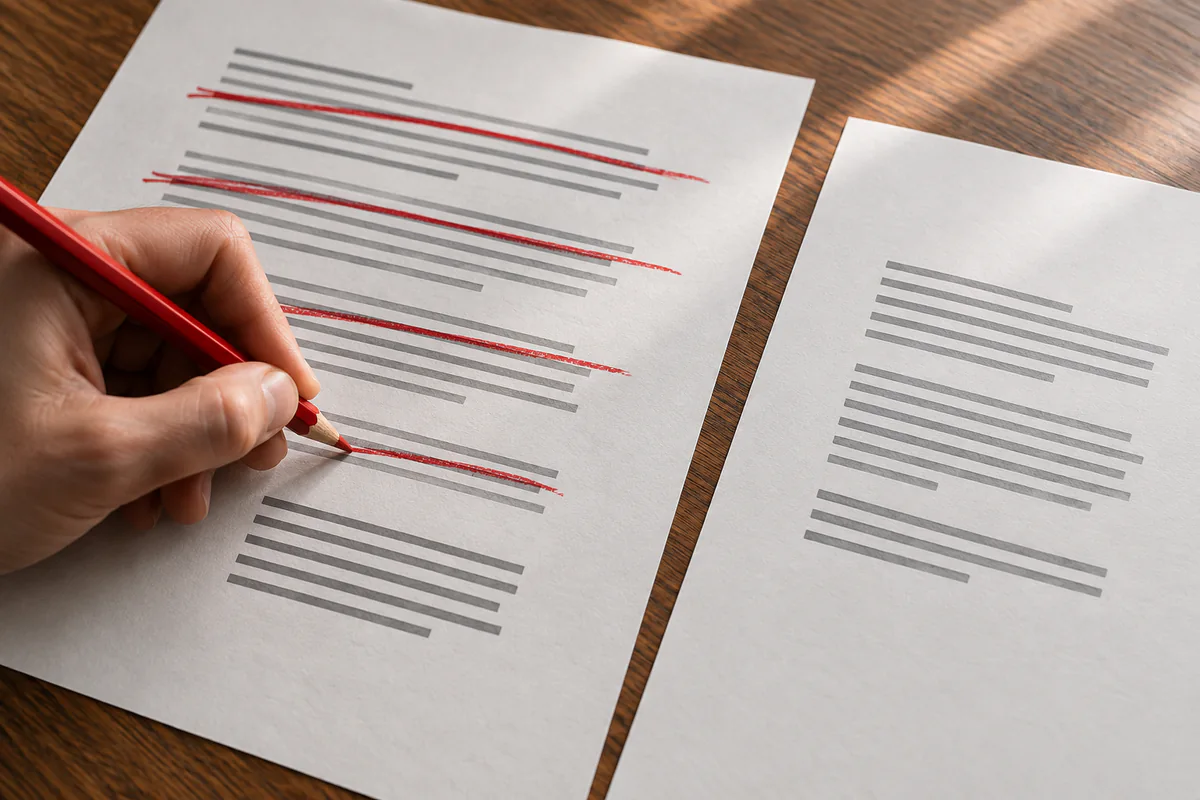
After this pass, read the whole message again. Check names, dates, promises, attachments and recipients against the source information before sending.
Step 5: Save the patterns you use repeatedly
Some email tasks recur often enough to justify a reusable structure:
- Declining politely
- Chasing politely (first, second, third time)
- Apologizing for a missed deadline
- Confirming arrangements
- Pushing back on a request without offending
- Asking a hard question without making it feel like an interrogation
After reviewing several drafts, you may identify instructions worth reusing. Save only those instructions, not the original correspondence, in an approved location. Before reuse, remove names, client facts and commitments that belonged to the earlier message.
A small example. Once you have written a few “polite chase” emails you like, save the model’s instructions:
Whenever I ask for a “polite chase” email, follow these rules:
- One paragraph, three to four sentences.
- Do not apologize for following up.
- Acknowledge the previous request was sent on a specific date.
- End with a clear soft deadline (“Would Friday work?”).
- Tone: warm, not formal. Match the language and register of the original thread.
Now you can combine the framing with a short, non-confidential summary instead of pasting the thread.
Situations where bounded drafting may help
Routine messages that feel hard to start. AI may help create options, but high-consequence employment, contract, legal or relationship messages still need the responsible human and any required HR, legal or policy review. Draft generation is not approval to send.
Languages you write in less often. AI can propose a draft, but it can mistranslate tone, terminology, names and obligations. A competent reader should review consequential or public text in the target language; otherwise keep the message simple and avoid claiming native fluency.
Drafts you keep restarting. Use only an approved, non-sensitive excerpt. Ask for several possible structures and compare them with the message you actually intend to send.
Technical explanations for a non-technical audience. AI can propose shorter versions when you define the audience and protected facts. A subject-matter owner must check that simplification did not remove a condition, limitation, or warning.
What not to use AI for
Keep genuinely personal notes in your own words when authentic attention is the point, especially condolences, apologies, and messages about an important relationship.
Anything that requires you to look someone in the eye later and have meant it. AI is a tool for writing faster, not for deciding what to mean.
The whole workflow, in one line
Check the data path, describe only approved context, ask for variants, critique the closest draft, and verify facts and recipients before sending. Save the reusable pattern, not the private conversation.