

Writing & Editing
Draft, revise, sharpen, and review text without losing your own voice.
31 stories (15 articles · 16 videos)
Start here
A few good first pieces before you browse the full feed.
 6 min read
AI as your personal editor: three bounded editing passes
Three bounded editing passes for clarity, tone, and grammar, with privacy checks, quoted changes, and the author retaining the final wording.
New to AI 7 min read
Writing with AI without sounding like AI
AI-assisted drafts often fall into generic patterns. Use six editing checks to recover specificity and rhythm without pretending that style alone proves who wrote the text.
Beginner 7 min read
AI for job hunting: CVs, cover letters, and interview prep
A practical AI workflow for the job hunt — tailoring your CV to each role, drafting cover letters that sound like you, rehearsing interviews out loud, and the steps most candidates skip.
New to AIMore in this topic
 6 min read
Draft first, then ask for critique — not co-authorship
The strongest AI assist for makers is usually critique of a draft you already wrote — not a co-authored first draft that quietly replaces your voice. A draft-then-critique loop with validation rules and a clear fallback when the feedback is generic.
Beginner 5 min read
An edit pass that preserves your taste
AI edit passes often sand your work toward the mean. A taste-preserving edit loop: criteria first, local suggestions only, side-by-side keep/reject, and a final unaided read that protects what makes the piece yours.
Intermediate 6 min read
Writing through grief without simulating the person you lost
AI can help you write a eulogy from your own memories, organize a funeral program, or draft a thank-you note when you cannot find the words. It should never be asked to generate what your person would say back to you. A safe-use table separates administrative and writing help from impersonation, with no exceptions for how comforting the impersonation feels.
Beginner 7 min read
Use AI to Triage Long Documents and PDFs Safely
Use a source-grounded three-pass workflow to map a long document, locate passages for human review, and prepare questions without outsourcing the reading or legal judgment.
New to AI 6 min read
The difference between a bad and good prompt (5 before/after examples)
Five real prompts shown in their weak version and their better version, with a short note on what changed. The fastest way to upgrade your AI output without learning any jargon.
New to AI 6 min read
Using ChatGPT to write emails you actually want to send
A privacy-aware workflow for using ChatGPT to draft, sharpen, and finish emails without handing over confidential threads or outsourcing the final judgement.
New to AI 8 min read
Deep Research mode: frame the question and audit the sources
Deep Research — the multi-step web research mode in ChatGPT, Gemini, Claude, Perplexity, and similar tools — can return a cited, structured report after a longer autonomous run. A practical guide to framing questions, auditing sources, and knowing when not to use it.
Beginner 7 min read
Few-shot prompting: steer output by example
When a description leaves room for interpretation, show the model representative input-output examples and test whether they improve consistency on your task.
Beginner 8 min read
Inbox Zero with AI: a realistic email workflow
A practical, repeatable system for triaging, drafting, and chasing email with AI without handing an unapproved tool access to your inbox or letting it send unchecked.
Beginner 8 min read
NotebookLM: Build a Source-Grounded Research Notebook
Build a focused NotebookLM collection, ask source-grounded questions, and verify the cited passage before relying on an answer.
Beginner 8 min read
Stop prompting once: the iterative conversation method
A practical workflow for improving a promising first response through critique, narrowing, pivots, stress tests, and verification instead of restarting by default.
Beginner 8 min read
Ten prompt patterns for everyday knowledge work
Ten reusable prompt shapes for drafting, critique, analysis, rehearsal, and structured output, with a validation habit for each kind of work.
Beginner 10 minutes
Land a Job using ChatGPT: The Definitive Guide!
Jeff Su. Ten minutes of the most-watched ChatGPT-for-job-search video on YouTube, and it earns it. Jeff shows the multi-prompt approach for tailoring a cover-letter hook to a real job description, then the "rewrite this bullet as I accomplished X by doing Y resulting in Z" pattern for resumes, then a clean walk-through of preparing the "tell me about yourself" answer. The exact moves the article recommends, demonstrated on screen with the prompts visible.
New to AI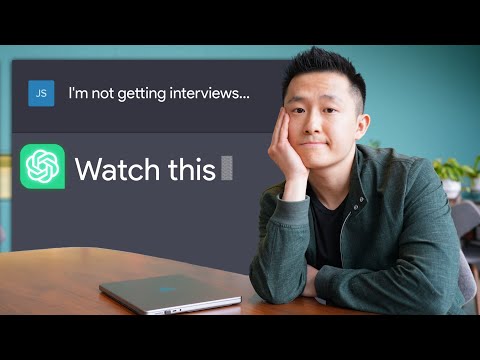 9 minutes
I wish every Job Seeker would watch this
Jeff Su. Part two of the same series, covering the parts of the job search the first video doesn't — landing coffee chats via LinkedIn, asking good questions in the interview, writing thank-you emails, and the role-play prompt for practising salary negotiation. Watch this after the article and you'll have ChatGPT-assisted scripts for every awkward part of the funnel, not just the application itself.
New to AI 90 minutes
The Ultimate Guide to Writing with AI
David Perell. David Perell is a working writer who teaches writing online, and this is his actual workflow — where he asks AI to argue with his draft, where he refuses to let it generate prose for him, and what prompts he keeps coming back to. The sections "How do I actually write with LLMs" and "How I think with LLMs" map directly onto the article's "use AI as an editor, not a ghostwriter" stance. The view count is just under our usual 100k bar; we made the exception because no larger-channel video on this exact topic is anywhere near this thoughtful.
New to AI 18 minutes
This NotebookLM + Perplexity Workflow Will Cut Your Research Time by 50% (or More)
Grace Leung. A more practical two-tool workflow: Perplexity for finding the documents and citations, NotebookLM for actually reading and synthesising them. Useful if your "long document" problem is really a "long stack of documents" problem — market research, regulatory filings, multi-source reports.
New to AI 26 minutes
How to Use NotebookLM (Google's AI "Tool for Understanding")
Tiago Forte. NotebookLM is the AI tool the article most enthusiastically recommends for long documents, and Tiago Forte — the Building a Second Brain guy — gives the cleanest tour of why. He demonstrates summarising meeting notes, querying long PDFs, and the source-grounding feature that stops the model from inventing facts the documents don't contain. After watching, you'll understand why "upload the PDF to NotebookLM" is the article's default suggestion.
New to AI 42 minutes
Prompt Engineering Tutorial – Master ChatGPT and LLM Responses
freeCodeCamp.org. A longer, more patient course that earns its length. The chapters on best practices, zero-shot vs few-shot, and what hallucinations look like in prompted output are exactly the deepening you want once the article's five examples have clicked.
New to AI 20 minutes
Google's 9 Hour AI Prompt Engineering Course In 20 Minutes
Tina Huang. Tina condenses Google's official Prompting Essentials course into the five-part TCREI structure (Task, Context, References, Evaluate, Iterate) with worked examples on each. After the article shows you five rewrites, this hands you the recipe Google itself teaches employees, so you can do the rewrite on your own prompts without copying ours.
New to AI 11 minutes
4 ChatGPT Hacks that Cut My Workload in Half
Jeff Su. The "red team technique" section is the missing piece in most ChatGPT-for-email tutorials: write the draft, then ask the model to roleplay the recipient who gets fifty cold emails a day and tell you which sentences make them hit delete. That feedback loop is exactly what the article means by "emails you actually want to send," and Jeff demonstrates it on a real cold outreach email in under three minutes.
New to AI 22 minutes
AI For Data Analysis In 21 Minutes
Tina Huang. Tina puts Perplexity's Deep Research and ChatGPT/Claude analysis modes in the context of a working analyst's day — pulling together market signals, exploratory data analysis, and structured outputs. Useful as the "what else is this good for besides academic literature reviews" companion to the primary pick.
Beginner 14 minutes
How to Use ChatGPT's Deep Research to Save HOURS on Research
Andy Stapleton. Stapleton runs Deep Research against the exact use case it shines at — a literature review with a clear scope, time frame, and structure — and shows the clarifying-questions handshake, the 10-minute wait, the 40-source output, and where the citations and tone still need a human pass. Calls out the limits honestly (no BibTeX export, occasionally too generous in source choice).
Beginner42 minutesPrompt Engineering Tutorial – Master ChatGPT and LLM Responses
freeCodeCamp.org. Skip to the "Zero shot and few shot prompts" chapter at 31:20 for a clean, demoed comparison of the same task with no examples versus a few — exactly the contrast the article builds the chapter around. The earlier sections on prompt mindset and best practices are useful background if you've come straight from the article without the wider context.
Beginner 25 minutes
Prompting 101 | Code w/ Claude
Anthropic. Examples are one of the ten ingredients Anthropic walks through here, and you can watch them get added to a real customer prompt and change the model's output. Useful if you want to see few-shot used inside a fuller prompt rather than as an isolated trick.
Beginner 131 minutes
How I use LLMs
Andrej Karpathy. Karpathy walks through his actual day-to-day use across ChatGPT, Claude, Gemini, Grok, and Perplexity, screen-sharing live conversations rather than polished one-shots. You see when he reaches for a follow-up, when he switches models mid-thread, and when he abandons a line and starts over — exactly the iterative loop the article describes, modeled by someone who builds these systems for a living.
Beginner 9 minutes
Master the Perfect ChatGPT Prompt Formula (in just 8 minutes)!
Jeff Su. Six-part formula — task, context, exemplars, persona, format, tone — explained with office-work examples such as workout plans, resumes, and internal emails. It provides a compact frame that overlaps with several of the article's patterns.
Beginner 26 minutes
Every Essential AI Skill in 25 Minutes (2025)
Tina Huang. The prompting chapter (02:30–09:20) lays out two stackable mnemonics — "tiny crabs ride enormous iguanas" (task, context, references, evaluate, iterate) and "ramen saves tragic idiots" (revisit, separate, try analogous, introduce constraints) — that map cleanly onto the iterate-and-refine patterns in the article. Useful when a single-shot formula isn't getting you there.
Beginner90 minutesThe Ultimate Guide to Writing with AI
David Perell. Perell teaches writing for a living and walks through how he actually drafts with LLMs without the output reading as AI — what he uses the model for (research, structuring, surfacing his own thinking), what he refuses to delegate (voice, taste, opinions), and the specific moves he uses to keep his prose his. Sits just under the 100K-view bar but earns its place because the topic is genuinely niche and this is the most thoughtful long-form take on it.
Beginner