

Email & Communication
Email, inbox workflows, meeting follow-up, multilingual communication, and customer conversations.
17 stories (7 articles · 10 videos)
Start here
A few good first pieces before you browse the full feed.
 6 min read
Using ChatGPT to write emails you actually want to send
A privacy-aware workflow for using ChatGPT to draft, sharpen, and finish emails without handing over confidential threads or outsourcing the final judgement.
New to AI 8 min read
Inbox Zero with AI: a realistic email workflow
A practical, repeatable system for triaging, drafting, and chasing email with AI without handing an unapproved tool access to your inbox or letting it send unchecked.
Beginner 7 min read
AI for meetings: transcripts, summaries, and action items
A realistic workflow for capturing meetings with AI: choose an approved data path, review the transcript, and turn explicit evidence into decisions and follow-ups.
BeginnerMore in this topic
 32 minutes
How to Build Human-Centered AI Workflows in Localization with Shashi Bhushan
Crowdin. Shashi Bhushan starts with workflow mapping rather than tool selection, then covers source-text quality, human review, AI proofreading, glossary checks, product-team involvement, pilots and privacy constraints. That is almost exactly the operating model the article recommends for Estonian teams working across Estonian, English, Russian, Finnish and customer-specific terminology.
Intermediate 4 minutes
Introducing EmbeddingGemma: The Best-in-Class Open Model for On-Device Embeddings
Google for Developers. The video introduces multilingual text embeddings that can run locally and support semantic search and RAG without sending every document to a hosted API. For Estonian companies, that is a useful technical complement to the article's internal-knowledge-search pattern: multilingual retrieval is valuable only when it also respects data locality, permissions and source authority.
Intermediate 6 minutes
AI Voice Agents: How They Actually Work & Why They Sound So Human
CX Foundation. Breaks voice agents into the practical pipeline: speech recognition, language model, business-system APIs, text-to-speech and interruption handling. That gives the article's rollout framework a concrete technical foundation before readers choose Twilio, Retell, Vapi, LiveKit or another platform.
Advanced 10 min read
Multilingual AI workflows for Estonian companies
A practical workflow model for Estonian companies working across Estonian, English, Russian, Finnish, and other customer languages without losing tone, terminology, privacy, or accountability.
Intermediate 9 min read
Voice agents for customer flows: where they work and where they fail
Voice agents are useful when the flow is bounded, the data is available, and the fallback is clean. A practical decision framework for Twilio/Retell-style systems, disclosure, handoff, testing, and rollout.
Advanced 11 min read
Design an AI customer support agent: triage, knowledge, actions, and escalation
A queue-evaluated reference design for support triage, retrieval, response drafting, controlled actions, and human escalation, with the policy and measurement boundaries needed for a safe pilot.
Intermediate 10 min read
Connecting AI to your email, calendar, and CRM safely
A risk-based guide to connecting AI with email, calendar, and CRM using minimum scope, approval gates, protected audit evidence, negative tests, and recovery paths.
Intermediate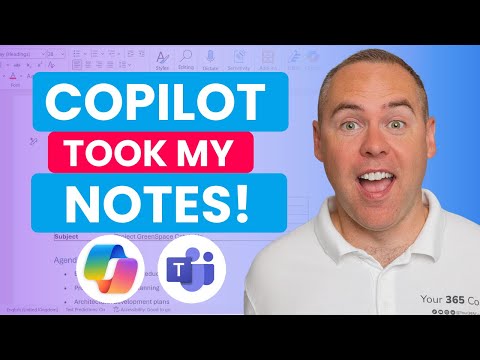 13 minutes
How to Use Copilot to Automate Meeting Notes in Microsoft Teams!
Scott Brant. A clean, end-to-end walkthrough of what the article describes: enable transcription, ask Copilot questions live, get an audio recap and a Word minutes document afterwards, and pull action items out into a follow-up workflow. Scott Brant is a Microsoft 365 educator who does this every week, and the demo is on a real meeting rather than a contrived one.
Beginner 4 minutes
How To Use Otter AI To Transcribe Audio - Features and Overview
Elegant Themes. Short overview of Otter as a standalone transcriber for people who don't live in Teams — Otter Pilot joining meetings on your behalf, calendar/Zoom integration, file uploads, and the free tier limits. Useful as a four-minute orientation before deciding which of the article's tools you want to actually try.
Beginner 11 minutes
4 ChatGPT Hacks that Cut My Workload in Half
Jeff Su. The "red team technique" section is the missing piece in most ChatGPT-for-email tutorials: write the draft, then ask the model to roleplay the recipient who gets fifty cold emails a day and tell you which sentences make them hit delete. That feedback loop is exactly what the article means by "emails you actually want to send," and Jeff demonstrates it on a real cold outreach email in under three minutes.
New to AI 25 minutes
OWASP's Top 10 Ways to Attack LLMs: AI Vulnerabilities Exposed
IBM Technology. Zooms out from prompt injection to the wider OWASP Top 10 for LLMs — insecure output handling, sensitive information disclosure, excessive agency — which is exactly the failure-mode catalogue you want in mind before you grant Gmail or HubSpot scopes to anything.
Intermediate 11 minutes
What Is a Prompt Injection Attack?
IBM Technology. Jeff Crume's "buy an SUV for $1" example is the cleanest 10-minute explanation of why direct and indirect prompt injection are different problems, and why filtering can't fully solve either. It pairs directly with the article's argument that you need least-privilege scopes, a dedicated agent account, and a human in the loop on anything irreversible — not a cleverer system prompt.
Intermediate13 minutesHow to Use Copilot to Automate Meeting Notes in Microsoft Teams!
Scott Brant. Scott Brant's broader Copilot work is the closest thing to an honest demo of how an integrated AI assistant changes the daily Outlook/Teams loop — drafting replies, summarizing threads, pulling action items into tasks. Nominally about meetings, but the same reflexes transfer straight to Outlook for anyone in a Microsoft 365 shop. (No single AI-for-email video clears the 100k-view bar with a beginner inbox-zero focus, so this is the strongest adjacent walkthrough.)
Beginner 14 minutes
101 Ways To Use AI In Your Daily Life
Tina Huang. Tina lists where AI actually pays off across a workday and several entries are exactly the email moves the article describes — checking and summarizing inboxes, drafting replies, editing for tone, organizing brain-dumped tasks. Useful as a reality check on what's worth automating versus what just needs a better template.
Beginner