

 90 minutes
The Ultimate Guide to Writing with AI
Use AI for research, structure and revision while keeping final wording and judgment under human control.
BeginnerAI Productivity
Tina Huang. Tina lists where AI actually pays off across a workday and several entries are exactly the email moves the article describes — checking and summarizing inboxes, drafting replies, editing for tone, organizing brain-dumped tasks. Useful as a reality check on what's worth automating versus what just needs a better template.
Only some entries are about email; use it as the reality check it's framed as — which inbox moves are worth automating — and skip the rest.
Identify practical AI email moves: summarize threads, draft replies, adjust tone and organize follow-up work.
None — watchable cold.
Last reviewed: May 18, 2026
Continue through the same learning path with the next curated companion videos.
90 minutesUse AI for research, structure and revision while keeping final wording and judgment under human control.
 12 minutes
See how spreadsheet AI can structure messy text and classify data, then check formulas and labels carefully.
 35 minutes
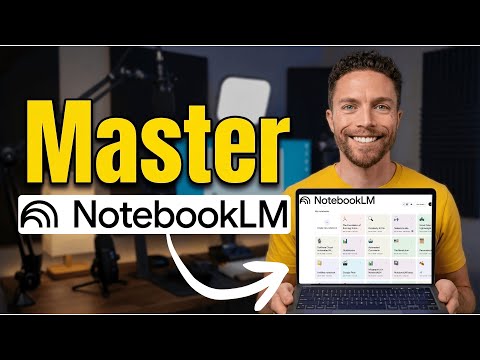
Build a source-grounded research notebook and turn it into briefings, study guides or working notes.
Hand-picked external courses that go deeper on this topic.
 Coursera · University of California, Davis
UC Davis Continuing and Professional Education faculty
Fills the writing/productivity vertical with something better than a prompt-pack listicle: a university course that treats AI-assisted writing as a craft — audience, purpose, and tone come before the prompt, and a full module is devoted to intellectual-property and ethics questions that most 'write faster with ChatGPT' courses skip entirely.
 Coursera · Google
The most pragmatic, workplace-flavoured first course. Where Andrew Ng's "AI for Everyone" gives you the mental model, Google's course shows you what to actually do tomorrow morning — speeding up everyday tasks, drafting, brainstorming. Zero coding, five short modules including a vital chapter on responsible use.
 Coursera · Google Cloud
A fast, official, no-cost path to using Gemini inside Gmail, Docs, Sheets, Slides, Meet, and Drive. Thirty minutes is honest about the scope — this is an orientation, not mastery — which is exactly right for someone who just got Gemini turned on in their inbox and wants to know where to start.