

Private, Local & Self-hosted AI
Local models, private deployment patterns, self-hosted inference, and hybrid architectures.
18 stories (12 articles · 6 videos)
Start here
A few good first pieces before you browse the full feed.
 10 min read
Local AI on your Mac: Ollama, LM Studio, and what 7B models can really do
Running AI locally has matured. With Ollama or LM Studio and a modern Mac, you can run capable models offline, free, and private. What works, what doesn't, and the use cases that actually benefit.
Intermediate 10 min read
Private AI deployment patterns: local, VPC, self-hosted, and hybrid
Private AI is not one architecture. A practical comparison of local models, enterprise SaaS, VPC deployments, self-hosted inference, and hybrid patterns for SMEs that care about privacy and control.
Advanced 11 min read
Self-hosted vs hosted inference: a break-even model you can audit
At what scale does self-hosting beat API calls? The actual math, the operational realities, and the patterns that distinguish teams who should self-host from teams who should keep paying for managed inference.
AdvancedMore in this topic
 8 min read
Connect two DGX Sparks: QSFP, SSH, RoCE, and Cluster Assistant
A practical guide to linking two NVIDIA DGX Spark units with QSFP and ConnectX-7: same username, passwordless SSH, RoCE for distributed workloads, NVIDIA Sync Cluster Assistant, and rollback.
Advanced 8 min read
DGX Spark local inference reality: memory, stack, and when cloud still wins
How to interpret NVIDIA’s 128 GB coherent-memory and ~200B single-node claims, shortlist serving stacks, and design the hardware tests that decide whether local inference fits.
Advanced 9 min read
DGX Spark: what it is, who it is for, and what changed for local agents
A grounded read of NVIDIA DGX Spark: Grace Blackwell GB10 specs from NVIDIA, coherent unified memory, ConnectX-7 clustering, and when a desk-side agent computer is the right private AI bet.
Advanced 7 min read
Hermes Agent: what it is, what it isn't, and when to use it
A clear map of Hermes Agent from Nous Research: persistent memory, skills, tools, and messaging gateways, plus the decision of when a chatbot is enough and when an agent runtime is the right tool.
Intermediate 8 min read
Call vLLM and other OpenAI-compatible endpoints from n8n
Call a local OpenAI-compatible /v1/chat/completions endpoint from n8n’s HTTP Request node, with explicit authentication, timeout budgets, base URL checks, and a private network boundary.
Intermediate 10 min read
NemoClaw on DGX Spark: deployment and security plan
Plan and evaluate OpenClaw, Hermes, or Deep Agents Code inside NVIDIA OpenShell on DGX Spark: current onboarding, policy layers, routed inference, and required acceptance evidence.
Advanced 9 min read
OpenClaw personal gateway setup: install, onboard, dashboard
What OpenClaw is, how to install and onboard the self-hosted multi-channel gateway, open the Control UI on port 18789, and which Node versions are supported without skipping the security baseline.
Intermediate 10 min read
Experimental dual-DGX Spark + DeepSeek-V4-Flash + n8n + Hermes stack
How to evaluate an experimental community dual-DGX Spark path for DeepSeek-V4-Flash, with n8n on the deterministic edge and Hermes on the judgment path.
Advanced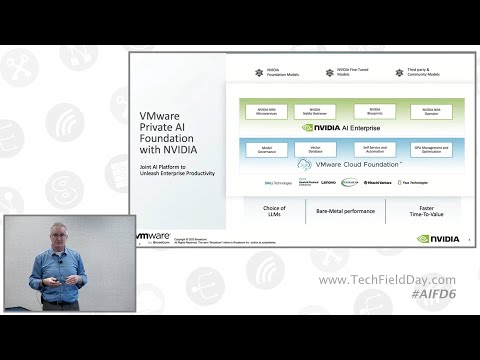 37 minutes
VMware Private AI Foundation Capabilities and Features Update from Broadcom
Tech Field Day. Shows private AI as layered infrastructure: controlled compute, isolated environments, Kubernetes, inference containers, model governance, self-service provisioning, GPU sharing and monitoring. That maps directly to the article's warning that privacy depends on deployment boundaries, logs, access and operations, not on the word "local."
Advanced 13 min read
Fine-tuning in 2026: an evidence-first LoRA and QLoRA experiment
Decide whether parameter-efficient tuning is justified, govern the data, pin a reproducible experiment, compare held-out and safety results, and benchmark serving before deployment.
Advanced 157 minutes
Fine Tuning LLM Models – Generative AI Course
freeCodeCamp.org. Long, theory-then-code course covering quantisation, LoRA, QLoRA, and full PEFT on Llama 2 and Gemma — on hardware most developers actually have. It is the closest thing to a "shadow somebody who has done this" experience on YouTube and lines up with the article's "you don't need a cluster" claim with concrete VRAM budgets.
Advanced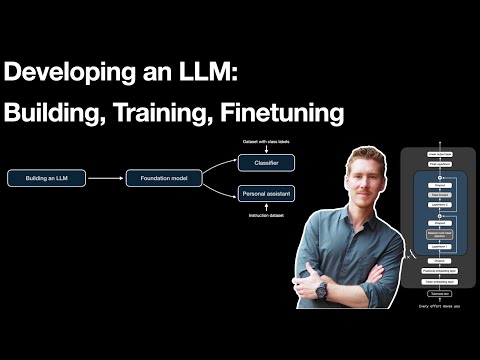 59 minutes
Developing an LLM: Building, Training, Finetuning
Sebastian Raschka. Sebastian Raschka's slower walkthrough of where fine-tuning sits in the broader LLM training pipeline — instruction tuning, classification fine-tuning, parameter-efficient methods, and the trade-offs the article calls out before recommending LoRA. Good calibration before you start, especially if your team is debating whether fine-tuning is even the right step.
Advanced 14 minutes
Learn Ollama in 15 Minutes - Run LLM Models Locally for FREE
Tech With Tim. A tight, no-nonsense Ollama walkthrough — install, pull a model, chat, then poke at the local HTTP API from Python and create a custom model with a Modelfile. Covers exactly the workflow the article describes for daily use on a Mac, including how to think about model size vs. your machine's RAM.
Intermediate 6 minutes
LM Studio Tutorial: Run Large Language Models (LLM) on Your Laptop
Kevin Stratvert. Same workflow as Ollama but in a GUI: download LM Studio, pull a Llama or Gemma model, chat, drop a PDF in and ask questions about it. Good for readers who'd rather not live in the terminal — also useful for getting a feel for how a 1B–3B model actually performs against a heavier one.
Intermediate 32 minutes
Fast LLM Serving with vLLM and PagedAttention
Anyscale. Walks through why naive LLM serving wastes 60–80% of GPU memory, how PagedAttention borrows OS-style paging to fix that, and why continuous batching produces the 24× throughput numbers the article uses in its math. After this, the article's "you'll be lucky to hit 50% utilisation" line stops feeling abstract.
Advanced