

Curated library

Videos

Watch the clearest companion videos without browsing everything at once. Pick a path, continue where you left off, or use the filters when you know what you need.

Foundation

Build confidence with AI basics, prompting, privacy, hallucinations, and everyday use.

Practitioner

Learn workflows for meetings, writing, research, no-code tools, and repeatable business tasks.

Builder

Go deeper into agents, RAG, MCP, structured outputs, evals, APIs, and local AI.

Strategic

Cover governance, EU AI Act readiness, build-vs-buy decisions, ROI, and private AI choices.
12 results

Viewing learning path: PractitionerShow all
32 minutes

How to Build Human-Centered AI Workflows in Localization with Shashi Bhushan

Crowdin. Shashi Bhushan starts with workflow mapping rather than tool selection, then covers source-text quality, human review, AI proofreading, glossary checks, product-team involvement, pilots and privacy constraints. That is almost exactly the operating model the article recommends for Estonian teams working across Estonian, English, Russian, Finnish and customer-specific terminology.

Learn how to introduce AI into localization without removing human ownership of meaning, tone, terminology and final approval.
IntermediateAI for Business
17 minutes

12-Factor Agents: Patterns of reliable LLM applications — Dex Horthy, HumanLayer

AI Engineer. Dex Horthy explains why reliable agent systems are mostly disciplined software around a few LLM calls: own the prompt, own the context window, keep control flow deterministic and use tool calls to contact humans when the workflow needs judgment. That maps directly to the article's approval, exception and escalation patterns.

Learn how to design AI workflows that can pause, resume, ask for human judgment and keep business state separate from model guesses.

IntermediateAutomations
3 minutes

Evaluate prompts in the Anthropic Console

Anthropic. A three-minute Anthropic walkthrough of running a real eval inside the Workbench — auto-generating realistic test cases, grading outputs, tweaking the prompt, and re-running the same suite side-by-side. The view count sits below the usual bar, but for "how do I actually do this without writing code" this is the cleanest official demo and slots neatly under the more strategic Husain/Shankar conversation.

See the smallest no-code version of a repeatable prompt eval.
IntermediateAI for Business
30 minutes

I Deep-Personalized 1000+ Cold Emails Using THIS AI System (FREE TEMPLATE)

Nick Saraev. Saraev builds the exact pipeline the article describes — Apollo for leads, Apify for scraping, n8n to enrich and run a multi-line icebreaker generator off each lead's site, then Instantly for sending — and is candid about per-lead costs and reply rates. It's the cleanest demonstration of "real personalization at scale," not just "mail merge with a first name."

Understand the data-enrichment and personalization pipeline behind AI-assisted outbound without confusing automation with quality.

IntermediateAI for Business
24 minutes

I Built an AI Content Agent With N8N and Claude (Step-by-Step)

Greg Isenberg. Isenberg builds a real content pipeline in n8n with The Boring Marketer — scraping top-performing posts on YouTube and X, drafting new pieces with Claude, researching with Perplexity, generating images, and publishing to LinkedIn with a human-approval step. It is exactly the "agent in the middle, tools on either side" shape the article describes, and the human-review stage is shown rather than just mentioned.

Design a marketing workflow where AI drafts and routes work, but humans keep control over strategy, brand voice and publishing.
IntermediateAI for Business
6 minutes

LM Studio Tutorial: Run Large Language Models (LLM) on Your Laptop

Kevin Stratvert. Same workflow as Ollama but in a GUI: download LM Studio, pull a Llama or Gemma model, chat, drop a PDF in and ask questions about it. Good for readers who'd rather not live in the terminal — also useful for getting a feel for how a 1B–3B model actually performs against a heavier one.

Try local AI through a GUI and compare small-model behavior with hosted frontier models.
IntermediatePrivate / Local AI
14 minutes

Learn Ollama in 15 Minutes - Run LLM Models Locally for FREE

Tech With Tim. A tight, no-nonsense Ollama walkthrough — install, pull a model, chat, then poke at the local HTTP API from Python and create a custom model with a Modelfile. Covers exactly the workflow the article describes for daily use on a Mac, including how to think about model size vs. your machine's RAM.

Install a local model runner, pull a small model and understand the privacy/performance tradeoff before using it for real work.
IntermediatePrivate / Local AI
16 minutes

How MCPs Make Agents Smarter (for non-techies)

Nate Herk | AI Automation. A 16-minute, no-jargon explanation of what an MCP server is, how clients like Claude and n8n use them, and what you actually do differently once you have one. Lines up almost exactly with the article's "connect Claude or Cursor to your tools" framing.

Explain what MCP changes in plain language and decide whether a tool connection should use MCP or a simpler integration.

IntermediateNo-code AI Tools
11 minutes

How To Use NotebookLM For Beginners In 2024 (NotebookLM Tutorial)

TheAIGRID. A faster, feature-first tour: uploading mixed sources (PDFs, YouTube transcripts, blog posts), generating a briefing doc, focusing the chat on a single source, and the audio-overview podcast. Good if you want a quick map of the surface area before committing time to a longer walkthrough.

See the basic NotebookLM source-grounded workflow before building a personal document assistant.

IntermediateNo-code AI Tools
26 minutes

How to Use NotebookLM (Google's AI "Tool for Understanding")

Tiago Forte. Tiago is the *Building a Second Brain* author and treats NotebookLM as exactly what the article describes — a personal RAG over your own notes, PDFs and clippings. He shows the citation-grounded chat, the limits of the tool, and how it fits next to a Readwise/Obsidian workflow, which is the natural endpoint for most readers of the article.

Understand the personal source-grounded workflow: collect documents, ask bounded questions, and verify citations before trusting the answer.

IntermediateNo-code AI Tools
26 minutes

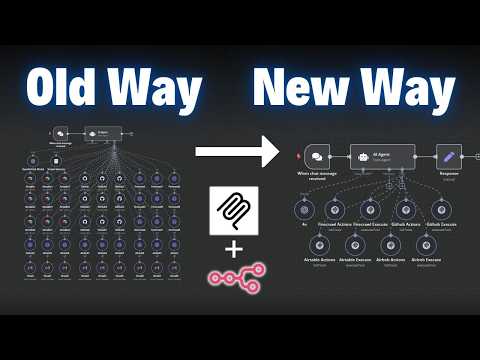
From Zero to Your First AI Agent in 25 Minutes (No Coding)

Futurepedia. Builds a working n8n agent from scratch in one sitting and stops to explain what an agent actually is, how it differs from a linear workflow, and where the guardrails go. After this you'll recognize every node in the article's diagram and have a feel for what reasonable defaults look like.

Build a first n8n AI-agent workflow while recognizing where tool access, memory and guardrails belong.
IntermediateAutomations
10 minutes

n8n vs Make: Don't choose the wrong one (2025)

Jack Roberts. A working automation builder names the three considerations that actually drive the choice — native AI agents, self-hosting, and the long-term roadmap of each tool — including notes from a conversation with Make's head of Applied AI on where Make is heading. Closely mirrors the article's "don't switch just because of shiny-object syndrome" framing.

Choose an automation platform based on hosting, AI-agent fit, integrations and maintenance tradeoffs instead of product hype.

IntermediateAutomations

Showing 12 of 12