

Custom GPTs & Assistants
Reusable assistants with instructions, memory, project files, and team knowledge.
21 stories (15 articles · 6 videos)
Start here
A few good first pieces before you browse the full feed.
 6 min read
Build Your First Custom GPT and Test It
Configure a reusable ChatGPT assistant, test it on representative tasks, and revise its instructions before relying on it.
New to AI 8 min read
Custom GPTs and Claude Projects: reusable assistants with knowledge files
A practical guide to deciding whether a repeated task belongs in a reusable, file-backed assistant, then building and testing one with an explicit privacy boundary.
BeginnerMore in this topic
 6 min read
AI for travel, recipes, and life admin
The low-stakes, high-frequency wins that turn AI from a curiosity into a habit. Real prompts for trip planning, meal planning, household admin, and the small decisions that eat your week.
New to AI 6 min read
AI as your personal editor: three bounded editing passes
Three bounded editing passes for clarity, tone, and grammar, with privacy checks, quoted changes, and the author retaining the final wording.
New to AI 7 min read
Use AI to Triage Long Documents and PDFs Safely
Use a source-grounded three-pass workflow to map a long document, locate passages for human review, and prepare questions without outsourcing the reading or legal judgment.
New to AI 6 min read
Using ChatGPT to write emails you actually want to send
A privacy-aware workflow for using ChatGPT to draft, sharpen, and finish emails without handing over confidential threads or outsourcing the final judgement.
New to AI 7 min read
ChatGPT Voice mode: talking to AI like a friend
Talking to AI feels strange for about ninety seconds, then it often becomes the easiest interface for thinking out loud. A practical guide to voice mode — what it is great at, what it is bad at, and how to actually use it.
New to AI 8 min read
Custom instructions and memory: set up your AI once
Configure stable, non-sensitive defaults and memory controls, then review what is retained and override stale context when the task changes.
Beginner 6 min read
Free vs paid ChatGPT: what the upgrade actually buys
A jargon-free comparison of free ChatGPT, ChatGPT Plus, and ChatGPT Pro — what changes when you upgrade and how to tell if you actually need to.
New to AI 11 min read
Multi-tool AI workflows: design reliable handoffs across tools
A practical framework for combining research, document grounding, drafting, critique, analysis, and storage while preserving provenance, privacy, and review.
Intermediate 7 min read
Privacy 101: what ChatGPT remembers, sees, and shares
Separate training, memory, storage, and third-party sharing. Check the controls that affect your account without treating Temporary Chat or a paid plan as permission to share sensitive data.
New to AI 7 min read
Picking the right model for the job: a 2026 decision cheat sheet
Which model to reach for, by task type. GPT, Claude, Gemini, reasoning variants, and open-weights options, with decision rules and mid-2026 examples rather than a timeless ranking.
Beginner 6 min read
The seven things you can ask ChatGPT on day one
The blank input box is the hardest part. Seven copyable prompts that turn an empty conversation into a real win on your very first day.
New to AI 6 min read
ChatGPT, Claude, Gemini, Copilot — which should a beginner pick?
Four mainstream AI assistants, picked apart in plain English. A non-technical guide to choosing your first AI based on what you already use and what you actually want from it.
New to AI 6 min read
Your first hour with ChatGPT: a click-by-click walkthrough
A guided sixty-minute tour of ChatGPT — from signing up to a useful first result, with the product and privacy controls that matter most.
New to AI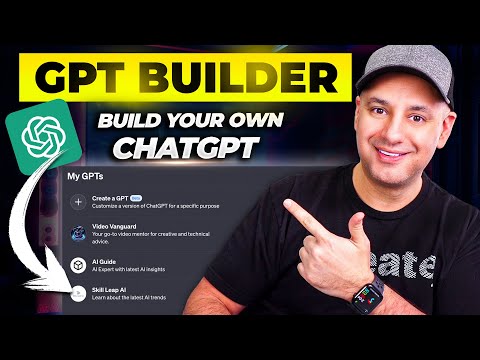 12 minutes
How To Create Custom GPTs - Build your own ChatGPT
Skill Leap AI. Walks through the GPT builder exactly the way the article describes — name and description, conversation starters, instructions, knowledge files, capabilities, and access settings. Uses a real example (an AI knowledge assistant fed with the creator's own scripts) so you see what good knowledge-file content looks like in practice.
Beginner 13 minutes
I Switched 50% of My AI Work to Claude, Here's Why
Jeff Su. The Claude Projects chapter (starts around 04:46) is the clearest short explanation on YouTube of project-level vs chat-level context — illustrated with a product marketing example where one project document feeds many chats with different briefs. Pairs naturally with the article's argument that Projects and Custom GPTs solve the same problem in slightly different shapes.
Beginner 131 minutes
How I use LLMs
Andrej Karpathy. Skip to the "ChatGPT memory, custom instructions" chapter at 1:53:29. Karpathy shows what he actually has in his own custom instructions, talks about when he tells ChatGPT to remember a fact versus letting it auto-capture, and notes the trade-offs — closer to the article's "set it up once with intent" framing than most beginner walkthroughs.
Beginner 36 minutes
Every ChatGPT Feature In 37 Minutes
Tina Huang. The personalization, memory, and custom instructions panels are walked through inside a wider tour of every ChatGPT feature, which is the right framing — these settings only pay off when you also know what they're configuring (projects, GPTs, scheduled tasks, voice, etc.). Use it as a guided tour while you actually open Settings → Personalization in another tab.
Beginner 29 minutes
GPTs Are Here: The Best Ones & How to Make Them
Matt Wolfe. Matt Wolfe builds a GPT live on screen and then reviews a handful of real, useful ones (SimpsonizeMe, ConvertAnything, Grimoire). The build-from-scratch section is the closest thing on YouTube to the article's "ten minutes from blank to working assistant" framing, and the second half shows what good GPTs actually look like once they exist.
New to AI 44 minutes
New Products: A Deep Dive
OpenAI. The OpenAI product and engineering team — Thomas Dimson, Nick Turley, Michelle Pokrass, Olivier Godement — walking through how GPTs work, what the three pieces (instructions, actions, knowledge) actually do, and the design choices behind them. Useful when the article's "just try it" advice has stuck and you want to understand the seams before you stretch the tool further.
New to AI