

No-code AI Tools
Practical tools for knowledge bases, media generation, coding helpers, and non-developer builders.
24 stories (8 articles · 16 videos)
Start here
A few good first pieces before you browse the full feed.
 7 min read
AI image generation 101: Midjourney, ChatGPT Images, and Flux
A practical guide to AI image generation in 2026: three common tool families, a reusable 6-part prompt template, and checks for quality, rights, and fit.
Beginner 11 min read
AI coding without being a developer: building tools in Cursor and Claude Code
AI coding tools can help non-developers prototype small internal tools. This guide explains a test-first workflow, its limits, and when an experienced engineer must take over.
IntermediateMore in this topic
 7 min read
AI voice and audio: from cloning to podcasts to translation
An orientation map for voice cloning, narration, transcription, and translation, with consent, disclosure, privacy, and verification boundaries.
Beginner 10 min read
Build a personal RAG: chat with your own documents
Build and evaluate a bounded document-grounded assistant. Compare hosted notebooks, project workspaces, and configurable retrieval without weakening provenance or permissions.
Intermediate 11 min read
Chunking, reranking, and hybrid search: make RAG actually work
Most RAG implementations work poorly because they get three things wrong. A practical guide to chunking documents, reranking results, and combining keyword with semantic search — without becoming a search engineer.
Intermediate 8 min read
Custom GPTs and Claude Projects: reusable assistants with knowledge files
A practical guide to deciding whether a repeated task belongs in a reusable, file-backed assistant, then building and testing one with an explicit privacy boundary.
Beginner 6 min read
Build Your First Custom GPT and Test It
Configure a reusable ChatGPT assistant, test it on representative tasks, and revise its instructions before relying on it.
New to AI 10 min read
MCP for the non-engineer: connect Claude or Cursor to your tools
A practical introduction to MCP: verify client support, install one official local server, constrain its filesystem scope, and test both allowed and denied operations before adding real accounts.
Intermediate 66 minutes
Cursor Vibe Coding Tutorial - For COMPLETE Beginners (No Experience Needed)
Tech With Tim. Tim is one of the steadier educators in this space, and this is the most complete "open Cursor, build something, ship it" walkthrough for a non-developer audience — setup, prompting, debugging, basic Git and even a touch of MCPs. Watch it once and you'll know what the article means by "build a small internal tool."
Intermediate 5 minutes
The "vibe coding" mind virus explained…
Fireship. Fireship's three rules — pick a boring popular stack, get good at Git, treat yourself as the product manager — are the same guardrails the article is trying to install. Five minutes well spent before you let an AI write to your repo unsupervised.
Intermediate 48 minutes
The ULTIMATE Beginners Guide to Midjourney in 2024
Future Tech Pilot. Once you've decided Midjourney is worth a try, this is the soup-to-nuts walkthrough — prompt structure, the stylize / chaos / weird parameters, image prompting, blending, zoom and pan, style tuning. The interface has continued to evolve, but everything here still applies and the prompting intuition transfers cleanly to v7.
Beginner 48 minutes
What AI Image Generator Should YOU Be Using??
Matt Wolfe. Matt runs the same prompt set through Midjourney, DALL·E, Adobe Firefly, Stable Diffusion, Leonardo, and others, and grades them on dimensions such as accuracy, realism, illustration, logos, text, and price. The model lineup has shifted since, so treat the product results as historical; the repeatable comparison method is the useful part.
Beginner 11 minutes
How to Clone Your Voice with AI - Realistic AI Voice Clones (Full Tutorial)
ElevenLabs. Official walkthrough that contrasts Instant Voice Cloning (a minute of audio, results in seconds) with Professional Voice Cloning (30 minutes to several hours of audio, much higher fidelity). The recording-quality guidance — mic, room, levels, pre-processing — is the part that's hardest to find elsewhere and matters most for getting a clone you'll actually use.
Beginner 16 minutes
How to Use ElevenLabs - Best Text to Speech AI Voices (FULL GUIDE)
Alec Wilcock. Tour of the platform that anchors most of the article's examples — text-to-speech, speech-to-speech, voice design, and voice cloning, all in one screen-recorded walkthrough. Goes through the free-vs-paid limits and the controls that actually matter (stability, similarity, style) without overselling.
Beginner 11 minutes
How To Use NotebookLM For Beginners In 2024 (NotebookLM Tutorial)
TheAIGRID. This older feature-first tour shows mixed-source uploads, single-source focus, briefing documents, and Audio Overviews in the interface available when it was recorded. It is useful for recognizing workflow components, not for confirming the current Gemini Notebook interface or feature availability.
Intermediate 26 minutes
How to Use NotebookLM (Google's AI "Tool for Understanding")
Tiago Forte. Tiago Forte, author of _Building a Second Brain_, demonstrates the product then called NotebookLM with notes, PDFs, and clippings. The useful pattern is selecting a bounded source set, asking document questions, inspecting linked passages, and deciding how the resulting artefacts fit into an existing knowledge workflow.
Intermediate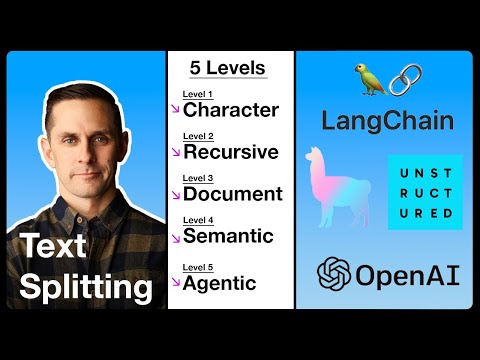 69 minutes
The 5 Levels Of Text Splitting For Retrieval
Greg Kamradt. The article spends a lot of words on chunking; this is the longest, most patient explanation of what each chunking strategy is actually doing — from character-recursive through document-aware to semantic and agentic splitting. Pair it with Greg's free ChunkViz tool to build intuition before you start tuning.
Intermediate 24 minutes
"I want Llama3 to perform 10x with my private knowledge" - Local Agentic RAG w/ llama3
AI Jason. Covers the exact stack the article argues for — query translation, hybrid retrieval, reranking, and a corrective-RAG loop — in one runnable build. Useful as a working mental model for what the chunk → rerank → answer pipeline looks like when it's actually doing its job.
Intermediate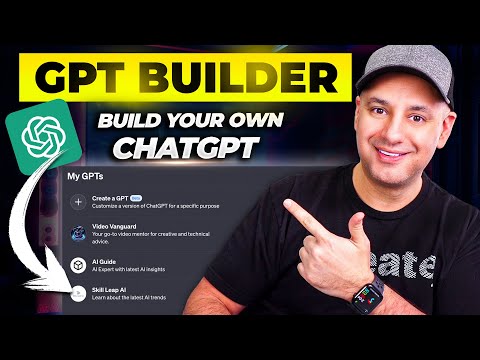 12 minutes
How To Create Custom GPTs - Build your own ChatGPT
Skill Leap AI. Walks through the GPT builder exactly the way the article describes — name and description, conversation starters, instructions, knowledge files, capabilities, and access settings. Uses a real example (an AI knowledge assistant fed with the creator's own scripts) so you see what good knowledge-file content looks like in practice.
Beginner 13 minutes
I Switched 50% of My AI Work to Claude, Here's Why
Jeff Su. The Claude Projects chapter (starts around 04:46) is the clearest short explanation on YouTube of project-level vs chat-level context — illustrated with a product marketing example where one project document feeds many chats with different briefs. Pairs naturally with the article's argument that Projects and Custom GPTs solve the same problem in slightly different shapes.
Beginner 29 minutes
GPTs Are Here: The Best Ones & How to Make Them
Matt Wolfe. Matt Wolfe builds a GPT live on screen and then reviews a handful of real, useful ones (SimpsonizeMe, ConvertAnything, Grimoire). The build-from-scratch section is the closest thing on YouTube to the article's "ten minutes from blank to working assistant" framing, and the second half shows what good GPTs actually look like once they exist.
New to AI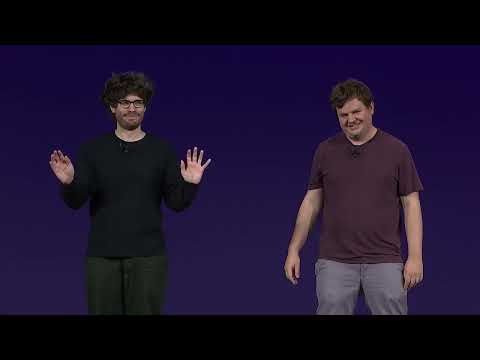 44 minutes
New Products: A Deep Dive
OpenAI. The OpenAI product and engineering team — Thomas Dimson, Nick Turley, Michelle Pokrass, Olivier Godement — walking through how GPTs work, what the three pieces (instructions, actions, knowledge) actually do, and the design choices behind them. Useful when the article's "just try it" advice has stuck and you want to understand the seams before you stretch the tool further.
New to AI 20 minutes
The Model Context Protocol (MCP)
Anthropic. The protocol's designers — Theo Chu, David Soria Parra and Alex Albert — walking through why MCP exists, the components (server, client, transport), the reception since the November 2024 release, and which servers they actually use day-to-day. Useful as the canonical source after the Nate Herk overview.
Intermediate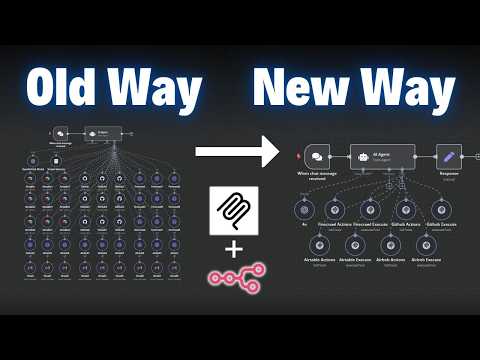 16 minutes
How MCPs Make Agents Smarter (for non-techies)
Nate Herk | AI Automation. A 16-minute, no-jargon explanation of what an MCP server is, how clients like Claude and n8n use them, and what you actually do differently once you have one. Lines up almost exactly with the article's "connect Claude or Cursor to your tools" framing.
Intermediate