

Documents & PDFs
Read long documents, build source-based assistants, and keep document work verifiable.
22 stories (10 articles · 12 videos)
Start here
A few good first pieces before you browse the full feed.
 7 min read
Use AI to Triage Long Documents and PDFs Safely
Use a source-grounded three-pass workflow to map a long document, locate passages for human review, and prepare questions without outsourcing the reading or legal judgment.
New to AI 8 min read
NotebookLM: Build a Source-Grounded Research Notebook
Build a focused NotebookLM collection, ask source-grounded questions, and verify the cited passage before relying on an answer.
Beginner 10 min read
Build a personal RAG: chat with your own documents
Build and evaluate a bounded document-grounded assistant. Compare hosted notebooks, project workspaces, and configurable retrieval without weakening provenance or permissions.
IntermediateMore in this topic
 6 min read
Reading a lease or contract for questions, not legal conclusions
Turn a lease or consumer contract into a clause-by-clause ledger — exact quote, plain-language paraphrase, and a question for a qualified professional. This is not legal advice: the model helps you read faster; it does not tell you what is enforceable or what your rights are.
Beginner 7 min read
Understand a medical document without turning it into medical advice
Use the original document, official glossaries and a four-column worksheet to prepare questions. Keep identifiable records out of public AI tools and interpretation with the care team.
Beginner 9 min read
A personal knowledge system that helps you retrieve, not hoard
A bounded capture-to-retrieval system with explicit use cases, retrieval tests, review dates, deletion rules, and warnings about sensitive notes, other people's data, and provider-held accounts.
Intermediate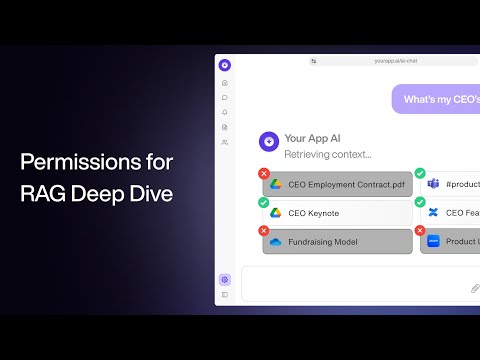 20 minutes
Permissions & Access Control for RAG - a Deep Dive Tutorial
Paragon. Walks through the production RAG permission problem and compares tool-calling, namespaces, ACL tables and relationship-based permissions. That directly supports the article's core rule: retrieval must only return sources the current user is allowed to see, and source-system permissions cannot be treated as an afterthought.
Advanced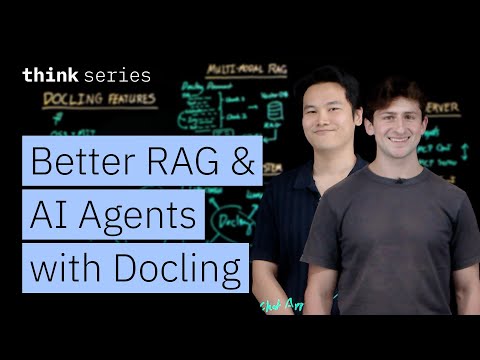 7 minutes
Unlock Better RAG & AI Agents with Docling
IBM Technology. Explains the ingestion side of RAG and agents: preparing PDFs and other files so document structure, tables and layout survive into downstream retrieval. That supports the article's warning that RAG quality and safety begin before embedding, especially when parsing complex business documents.
Advanced 11 min read
Secure document ingestion for RAG: PDFs, OCR, metadata, and retention
RAG quality starts before retrieval. A secure ingestion guide for PDFs, OCR, metadata, permissions, source freshness, deletion, malware risk, and operational ownership.
Advanced 10 min read
Company knowledge RAG: permissions, leakage, and source boundaries
A company knowledge assistant is only safe if retrieval respects permissions. How to design RAG source boundaries, ACL filtering, document ownership, logging, stale-source handling, and refusal behavior.
Advanced 11 min read
Chunking, reranking, and hybrid search: make RAG actually work
Most RAG implementations work poorly because they get three things wrong. A practical guide to chunking documents, reranking results, and combining keyword with semantic search — without becoming a search engineer.
Intermediate 12 min read
Production RAG design: ingestion, retrieval, reranking, and evaluation
A production RAG pipeline is six stages, each with specific patterns that determine quality. The architecture, the choices at each stage, and the iterative evaluation discipline that distinguishes RAG that works from RAG that disappoints.
Advanced 18 minutes
This NotebookLM + Perplexity Workflow Will Cut Your Research Time by 50% (or More)
Grace Leung. A more practical two-tool workflow: Perplexity for finding the documents and citations, NotebookLM for actually reading and synthesising them. Useful if your "long document" problem is really a "long stack of documents" problem — market research, regulatory filings, multi-source reports.
New to AI 26 minutes
How to Use NotebookLM (Google's AI "Tool for Understanding")
Tiago Forte. NotebookLM is the AI tool the article most enthusiastically recommends for long documents, and Tiago Forte — the Building a Second Brain guy — gives the cleanest tour of why. He demonstrates summarising meeting notes, querying long PDFs, and the source-grounding feature that stops the model from inventing facts the documents don't contain. After watching, you'll understand why "upload the PDF to NotebookLM" is the article's default suggestion.
New to AI 11 minutes
How To Use NotebookLM For Beginners In 2024 (NotebookLM Tutorial)
TheAIGRID. This older feature-first tour shows mixed-source uploads, single-source focus, briefing documents, and Audio Overviews in the interface available when it was recorded. It is useful for recognizing workflow components, not for confirming the current Gemini Notebook interface or feature availability.
Intermediate26 minutesHow to Use NotebookLM (Google's AI "Tool for Understanding")
Tiago Forte. Tiago Forte, author of _Building a Second Brain_, demonstrates the product then called NotebookLM with notes, PDFs, and clippings. The useful pattern is selecting a bounded source set, asking document questions, inspecting linked passages, and deciding how the resulting artefacts fit into an existing knowledge workflow.
Intermediate 69 minutes
The 5 Levels Of Text Splitting For Retrieval
Greg Kamradt. The article spends a lot of words on chunking; this is the longest, most patient explanation of what each chunking strategy is actually doing — from character-recursive through document-aware to semantic and agentic splitting. Pair it with Greg's free ChunkViz tool to build intuition before you start tuning.
Intermediate 24 minutes
"I want Llama3 to perform 10x with my private knowledge" - Local Agentic RAG w/ llama3
AI Jason. Covers the exact stack the article argues for — query translation, hybrid retrieval, reranking, and a corrective-RAG loop — in one runnable build. Useful as a working mental model for what the chunk → rerank → answer pipeline looks like when it's actually doing its job.
Intermediate 28 minutes
35+ INSANE Ways To Use NotebookLM (For FREE)
Matt Wolfe. Once you understand the basics, this is the right second video. Matt runs through a long list of less obvious uses — turning a book into a study guide, briefing yourself on a competitor from their content, generating mind maps from a folder of PDFs — that help you see how flexible the "grounded notebook" frame actually is.
Beginner 35 minutes
How To Master NotebookLM in 2026 (Free Course)
Paul J Lipsky. A clean three-step framing — curate sources, ask the right questions, produce final outputs — that maps almost one-to-one onto how the article tells you to think about NotebookLM. Recent enough (early 2026) to match the current UI, including Studio, audio overviews, and mind maps.
Beginner 17 minutes
RAG Agents in Prod: 10 Lessons We Learned — Douwe Kiela, creator of RAG
AI Engineer. Douwe Kiela led the original RAG paper at FAIR and now ships RAG into regulated enterprises. The talk is mostly about what stops working at scale — chunking strategies that don't survive 100k documents, "accuracy is table stakes, inaccuracy is the real problem," and why attribution and observability matter more than the embedding model. Good calibration before re-reading the article's eval and monitoring sections.
Advanced 19 minutes
Building Production-Ready RAG Applications: Jerry Liu
AI Engineer. LlamaIndex's CEO walking the gap between "naive RAG demo" and a real pipeline — small-to-big retrieval, sub-question routing, hybrid search, evaluation. The shape of his slides maps almost directly onto the article's pipeline sections; watch first, then re-read the article with his diagrams in your head.
Advanced