

Companion videos

Evals for non-engineers: know if your AI workflow is getting better or worse — companion videos

The article makes the case that "vibe checking" your prompts is fine until it isn't — eventually you need a small, repeatable way to ask "did this change help or hurt?" These videos give you the playbook from two angles: the conceptual workflow from the people who teach evals to PMs at OpenAI and Anthropic, and the 3-minute demo of doing one in a console with no code.

Primary pick

1:46:33
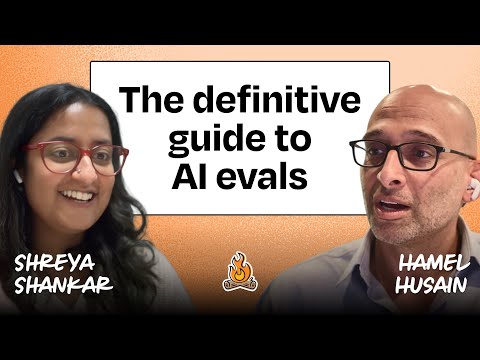
Why AI evals are the hottest new skill for product builders | Hamel Husain & Shreya Shankar

Lenny's Podcast

Hamel Husain and Shreya Shankar walk through the entire eval workflow on a real property-management AI assistant — looking at traces, open and axial coding of errors, deciding when to stop, building an LLM-as-judge, and validating it against human judgment. This is the rare long-form conversation that is genuinely aimed at PMs and team leads rather than ML engineers, and it covers the same "30 minutes a week after setup" rhythm the article recommends.

What you should get from this: Learn the product-builder eval loop: inspect traces, label failures, define criteria, test changes and compare against human judgment.

Watch or know first: Have at least one AI workflow where quality can get better or worse over time.

AI Expert note: This remains one of the best non-engineer eval explanations because it focuses on workflow discipline rather than a specific tool. Keep the method, then choose tooling that fits your privacy and observability constraints.

Open video page

Also worth watching

03:20
Evaluate prompts in the Anthropic Console

Anthropic

A three-minute Anthropic walkthrough of running a real eval inside the Workbench — auto-generating realistic test cases, grading outputs, tweaking the prompt, and re-running the same suite side-by-side. The view count sits below the usual bar, but for "how do I actually do this without writing code" this is the cleanest official demo and slots neatly under the more strategic Husain/Shankar conversation.

What you should get from this: See the smallest no-code version of a repeatable prompt eval.

Watch or know first: Basic prompt editing experience and access to an evaluation surface such as a console or workbench.

AI Expert note: Console UI and feature names can change. Use this as a pattern: fixed test cases, explicit grading criteria, side-by-side comparison and repeatable reruns.

Open video page